
If you’re exploring using an AI avatar for TikTok live stream sessions — or trying to understand what that actually involves technically — this guide covers the setup process, what scripts look like in practice, and what to realistically expect from the first sessions to ongoing performance.
What Is an AI Avatar for TikTok Live Stream?
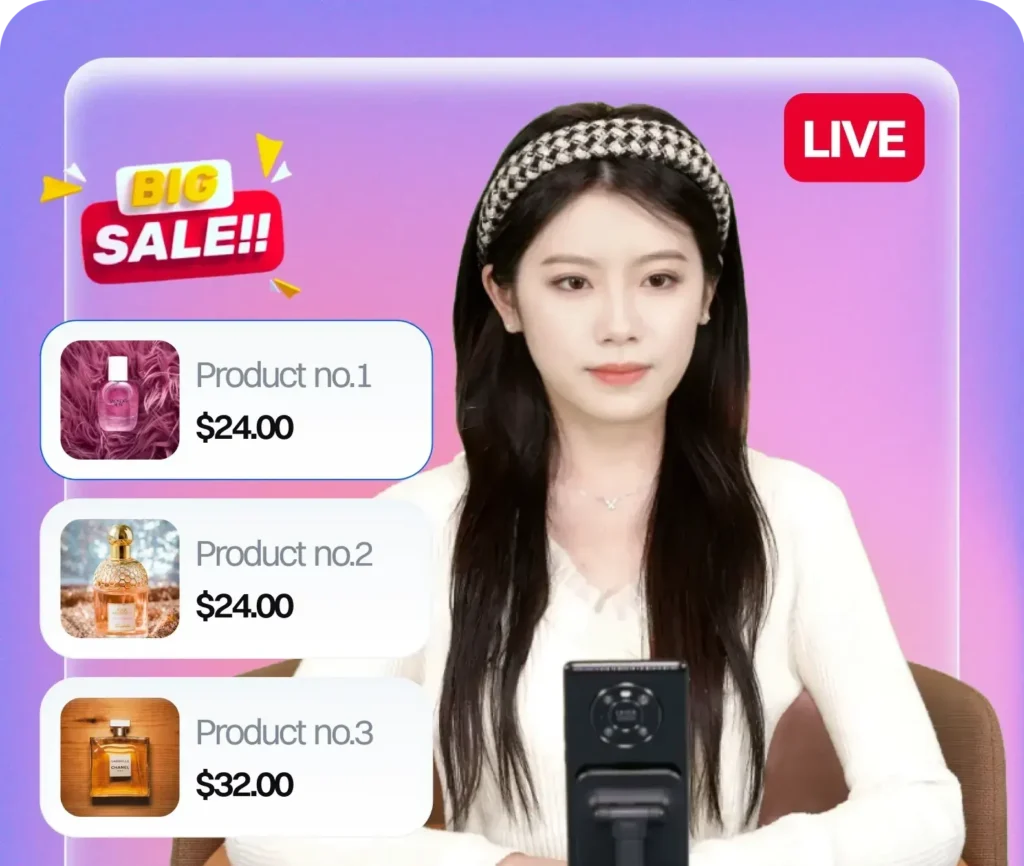
An AI avatar for TikTok live stream is a hyperrealistic, AI-generated digital human that appears as the on-camera presenter in a TikTok LIVE session. It runs the session live — presenting products, driving urgency, demonstrating checkout, and repeating key messages — based on a pre-configured script, without a human being physically on camera.
Unlike a pre-recorded video loop (which TikTok’s moderation team actively identifies and penalises), a genuine AI avatar is interactive in the sense that it’s running live, processing the session dynamically, and can be configured to adapt to different phases of the stream — cold start, peak viewing, wind-down.
AI Avatar TikTok Live Stream: Setup Process
Step 1: Avatar selection
The first decision is which avatar to deploy. The right choice depends on your brand positioning, product category, and target audience. A beauty brand selling to 25-35 year old women has different avatar requirements than a tech accessories brand selling to 20-30 year old men. Key considerations: appearance, voice, energy level, and language (UK English vs US English accents matter for conversion on their respective platforms).
Step 2: Script configuration
The script is the most important technical element. A properly structured AI avatar TikTok live stream script includes:
- Product introduction sequence — how each SKU is introduced, in what order, with what framing
- Feature depth layer — detailed product explanation following ByteDance’s “over-analyse in depth” pillar, assuming background noise and viewers who need to be pulled in
- Checkout demonstration script — step-by-step explanation of how to purchase within TikTok, timed to fire regularly throughout the session
- Urgency triggers — timed scarcity and limited-availability messages (“only 12 left at this price”) configured to fire at intervals aligned with the session’s natural viewing peaks
- Rotation schedule — how often each message block repeats to serve viewers who just entered the live room
CN-influenced story-driven scripts consistently outperform UK-standard surface scripts. The difference: UK baseline is “usually £80, today £20.” CN-influenced is the emotional story behind the product — why it was designed, what problem it solves, who created it — before getting to price. Higher engagement, higher conversion.
Step 3: Technical live room setup
The AI avatar needs to integrate with your TikTok LIVE technical setup. This includes:
- Streaming software configuration (OBS or equivalent) to output the avatar as the live video source
- Product display configuration — what appears on screen alongside the avatar
- Background setup — a clean, branded background that complies with TikTok’s content policies
- Audio levels and quality — TikTok’s algorithm penalises poor audio as a quality signal
- Stream key and RTMP configuration for stable connectivity
This technical layer is where most DIY attempts at AI avatar TikTok live streaming fail. Getting the output quality right, maintaining stable connectivity across a 4-6 hour session, and avoiding the technical violations that trigger algorithmic penalties requires experience with TikTok’s live infrastructure specifically.
Step 4: Session schedule and cold start strategy
If you’re starting a new TikTok Shop live programme, your first 15 sessions are the cold start window. ByteDance’s own framework breaks this into three phases:
- Sessions 1-3 (Seeding phase): Focus on consistent quality, not volume. 60-90 minute sessions. Establish baseline engagement signals. The AI avatar should run its full script at controlled pace.
- Sessions 4-7 (Climbing phase): Increase session length to 2-3 hours. More product rotations. Start testing urgency trigger timing. Algorithm begins rewarding consistency.
- Sessions 8-15 (Stable growth phase): Full 4-6 hour sessions. Multiple product cycles. Urgency and scarcity at full deployment. Algorithm trust established.
What to Expect: Timeline and Performance
Sessions 1-3
Minimal organic reach. This is expected — TikTok isn’t distributing your live to a large audience yet. Focus is on execution quality, not viewer numbers. The signals you generate in these sessions (completion rate, engagement rate, product link clicks) build the algorithmic foundation for everything that follows.
Sessions 4-10
Gradual increase in organic reach as algorithmic trust builds. First consistent sales should appear in this window for properly set up live rooms. Product-market fit becomes visible — which SKUs convert, which need script adjustment.
Sessions 10+
With algorithmic trust established, distribution increases substantially. The AI avatar continues delivering consistent quality that compounds: every good session reinforces the algorithm’s confidence in distributing your live to a larger audience.
Common Mistakes to Avoid
- Using a pre-recorded loop — TikTok’s moderation identifies these. Account penalties range from reduced distribution to permanent restrictions.
- Off-platform redirect — Any mention of visiting a website or Amazon is a major TikTok violation. All sales must happen through TikTok Shop in-app checkout.
- Script-product mismatch — The AI avatar’s verbal claims must exactly match the Seller Center product description. Discrepancies are treated as false promotion.
- Inconsistent scheduling — Going live sporadically damages algorithmic trust. Consistency is a core signal TikTok uses to distribute live content.
The Platform Built for AI Avatar TikTok Live Streaming
Syntopia is an AI avatar live commerce platform built for TikTok Shop, operated by LiveBuzz Studio — the UK’s #1 TikTok Creator Agency Partner and TikTok Shop Partner in both UK and US markets. Syntopia handles the complete setup: avatar selection, script configuration, live room deployment, cold start strategy, and ongoing session analytics.
Get in touch to discuss your AI avatar TikTok live stream setup, or view packages here.