

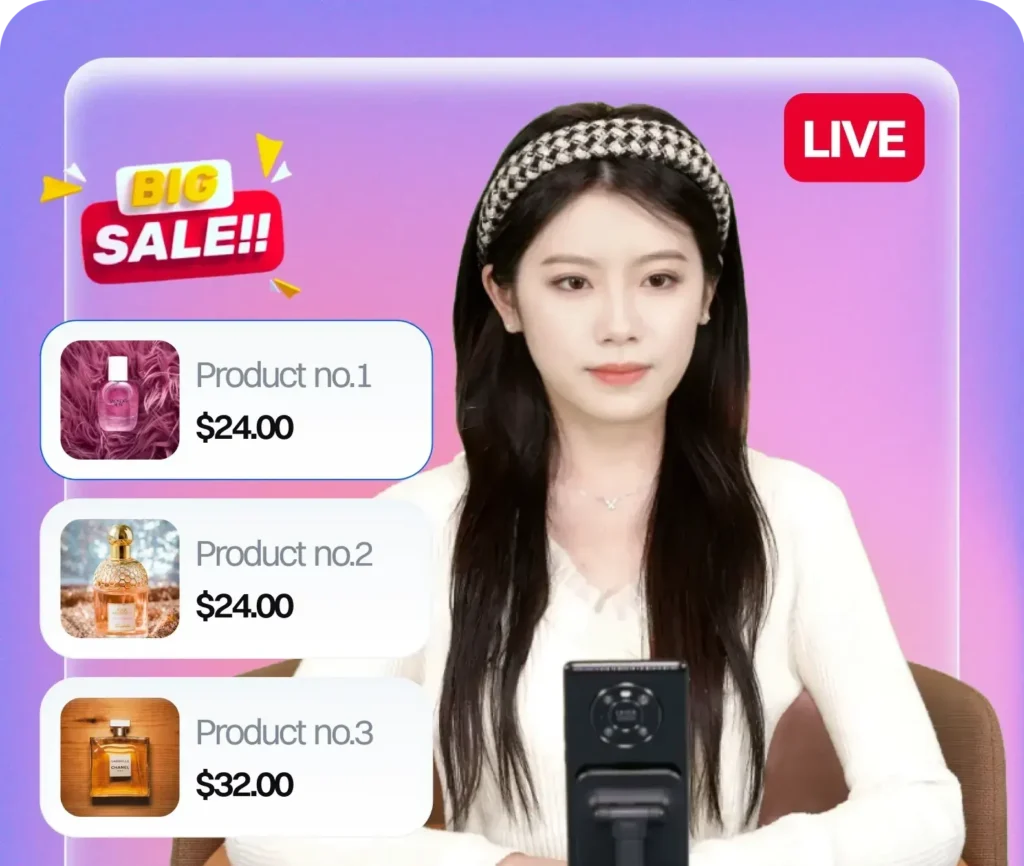
The phrase “TikTok Shop AI host” is starting to replace “TikTok Shop live presenter” in how serious sellers talk about their live room strategy. This guide explains exactly what a TikTok Shop AI host is, what it does during a live session, and how to set one up.
What Is a TikTok Shop AI Host?
A TikTok Shop AI host is an AI-generated digital human that runs your TikTok LIVE sessions as the on-camera presenter. It appears in your live stream, speaks to viewers, presents products, drives urgency, and manages the selling script — all without a human being physically in front of a camera.
The key distinction from a regular chatbot or automation tool: the AI host is the face of the stream. Viewers see it, interact with its messaging, and buy based on how it presents. It’s not running in the background — it is the host.
What Does a TikTok Shop AI Host Do During a Session?
A properly configured TikTok Shop AI host executes ByteDance’s 4-Pillar Presenting Framework throughout the live session:
Pillar 1: Product depth (over-analysis)
The AI host doesn’t just name the product and the price. It explains features, demonstrates use cases, addresses common objections, and assumes background noise — meaning it presents as though some viewers are only half-listening and need to be pulled in. This is how ByteDance trains UK Seller Partners to approach live presenting, and it’s built into every session.
Pillar 2: How to shop
Most viewers don’t know they can buy directly inside TikTok without leaving the app. The AI host demonstrates the in-app checkout process repeatedly throughout the stream — this is one of the highest-impact conversion tactics in TikTok live selling and one that human hosts frequently skip because it feels repetitive.
Pillar 3: Why to shop now (urgency and scarcity)
The AI host deploys timed urgency triggers — “only 8 left at this price,” “this offer ends in 20 minutes,” “we’re almost out of the size range” — at configured intervals throughout the session. These aren’t improvised; they’re scripted and scheduled to fire at the right moments for maximum conversion pressure.
Pillar 4: Repetition
TikTok LIVE rooms have a rotating audience. At any given moment, viewers are arriving who haven’t heard anything the host said in the last 10 minutes. The AI host rotates core messages — product name, price, offer, checkout instruction — at intervals designed for this rotation, without the awkwardness that human hosts feel when repeating themselves.
How to Set Up a TikTok Shop AI Host
Setting up a TikTok Shop AI host involves more than just choosing a digital avatar. There are four layers to get right:
1. Avatar selection and customisation
The AI host needs to match your brand’s positioning. Gender, appearance, age range, tone — these should be chosen based on who your audience is and what kind of presenter converts best for your product category. Most serious platforms offer multiple avatar options with the ability to customise voice and presentation style.
2. Script configuration
The script is what separates an effective TikTok Shop AI host from a generic one. You need: a product introduction sequence for each SKU, urgency triggers with timing, checkout demonstration steps, and a rotation schedule. The script should be modelled on CN-style live commerce storytelling — not the surface-level “usually £80, today £20” approach that still dominates UK TikTok Shop — but the story-driven, emotionally engaging approach that actually converts.
3. Live room technical setup
The AI host needs to be integrated with your TikTok LIVE setup: the streaming software, the product display, the background, and any overlay graphics. This is where most DIY attempts fail. Getting the technical layer right requires experience with how TikTok processes live streams, what signal quality triggers algorithmic distribution, and how to avoid violations that can end a session or damage your account.
4. Performance configuration (3-Phase Cold Start)
If you’re launching a new TikTok Shop LIVE setup, understanding ByteDance’s cold start phases is critical. Sessions 1-3 are the seeding phase. Sessions 4-7 are the climbing phase. Sessions 8-15 are the stable growth phase. Each requires different session length targets, product selection strategies, and urgency timing. A TikTok Shop AI host that’s configured for cold start acceleration — rather than just running the same script regardless of phase — will build algorithmic trust significantly faster.
Who Provides TikTok Shop AI Host Technology?
Syntopia is the AI avatar live commerce platform built specifically for TikTok Shop, operated by LiveBuzz Studio — the UK’s #1 TikTok Creator Agency Partner and TikTok Shop Partner in UK and US markets. The platform handles avatar selection, script configuration, live room deployment, cold start optimisation, and session analytics. It’s the only AI host platform operating from inside the TikTok Partner ecosystem in the UK.
If you’re evaluating a TikTok Shop AI host for your brand, get in touch or view packages here.