
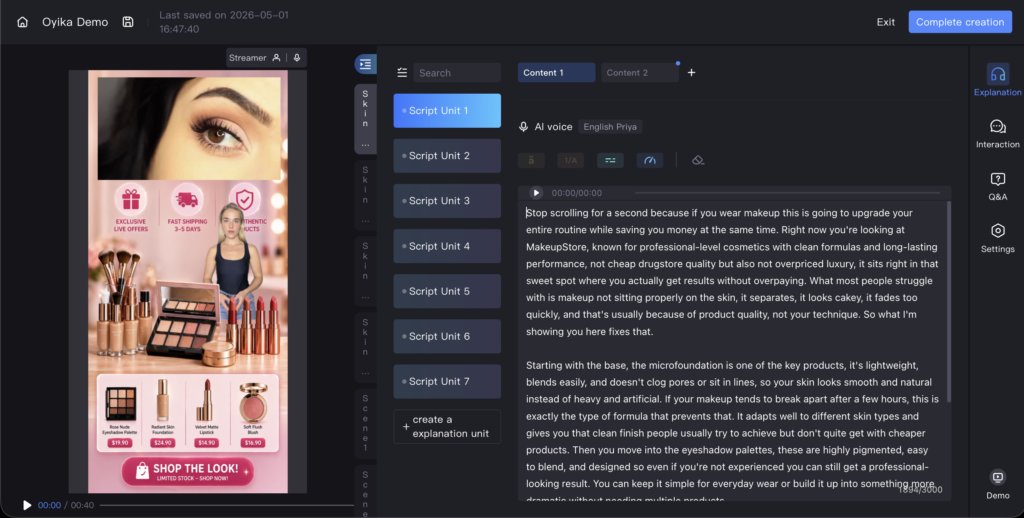
AI avatar livestreaming on TikTok Shop is one of the most powerful tools a seller can have. Run 24/7, interact with viewers in real time, sell while you sleep — all without a human host. The technology works. The platform supports it. And sellers who set it up correctly run without issues.
This guide is about setting it up correctly from day one. TikTok’s live moderation system has straightforward rules — and when your live room is built properly, you simply never run into problems. Here’s exactly what to build, and why.
How TikTok Evaluates Live Content — and Why Setup Matters
TikTok’s live moderation detects when a stream is cycling through the same content repeatedly. A live that loops is read as reproduced or pre-recorded material rather than genuine live commerce — which is why content depth and structure matter so much in your setup.
With an AI avatar, the key mechanic to understand is simple: if your script is too short, the avatar loops back to the beginning. A single scene with six short script units produces roughly 10–15 minutes of unique content. After that, the avatar starts again from the top. Building enough content depth is what keeps a live running cleanly — and it’s entirely within your control.
Understanding the Structure: Scenes, Script Units, and Content Variations
To build a compliant, high-converting live room you need to understand how the structure works — because getting this right is what separates a live that runs effortlessly for hours from one that loops.
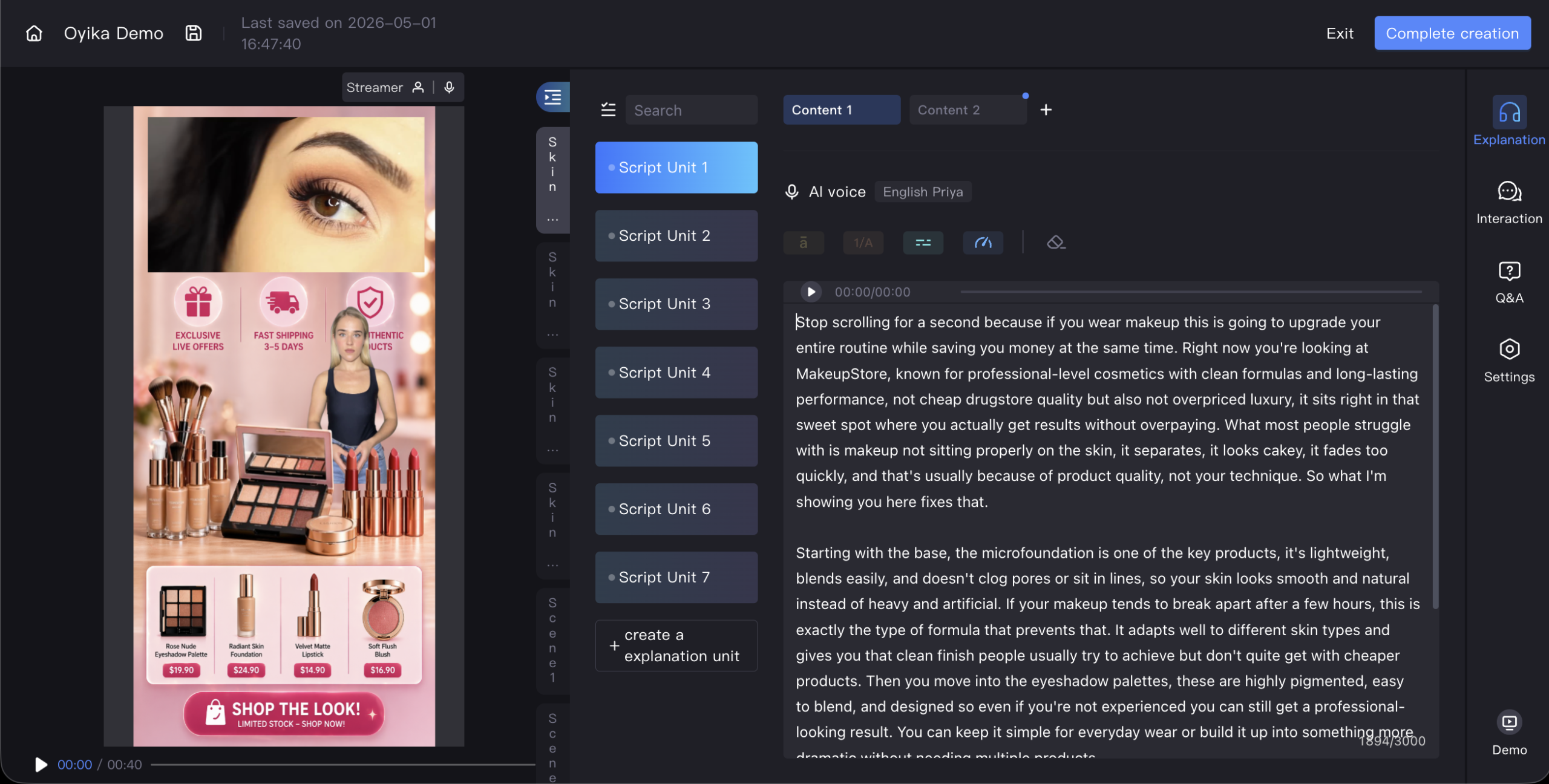
A live is built from three nested layers: Scenes (top-level segments — one per product or angle), Script units (individual copy blocks the avatar delivers within a scene), and Content variations (multiple versions of each unit so delivery stays fresh). If the avatar takes 30 seconds per script unit, 6 units = 3 minutes per scene. Build enough of these layers and your live runs for hours without repeating.
5 Setup Mistakes to Avoid When Building Your AI Avatar Live
1. Too Few Script Units
A single scene with 5–7 script units gives you 10–15 minutes of content. That’s not enough for a live session. Build for 1–2 hours of non-repeating content minimum — 5–10 scenes, 20–30 script units per scene, 3–4 content variations per unit. This isn’t difficult — it’s just planning ahead.
2. Long, Unbroken Sentences
The avatar delivers each sentence in full before pausing to interact with viewers. Long run-on script units mean the avatar talks for 30–60 seconds straight without welcoming joiners, responding to chat, or reacting to the room — reducing the live feel. The fix: break every script unit into short sentences of 10–20 words. Short sentences create natural pause points for interaction, which is exactly how a great live host operates.
3. Overloaded Single-Scene Layout
Packing every product, feature, price, and CTA into one scene reduces your ability to build varied content across multiple scenes. The best-performing live rooms keep each scene focused on one product or bundle — one per product variant, one for bundles, one for urgency, one for social proof. Clean, focused scenes also convert better.
4. Missing the AI Livestream Disclosure Label
TikTok requires all AI-hosted lives to be clearly labelled. Add a visible “AI LIVESTREAM” label on your live room design. It builds viewer trust and keeps you fully compliant from the start.
5. Scripts That Don’t Follow TikTok Commerce Rules
TikTok’s live commerce policies apply to all sellers — human-hosted or AI. Building your script correctly from day one means you’ll never have to retrofit it. The key rules:
- All purchasing stays in-app. Never direct viewers to a website, Amazon, or external link. TikTok Shop’s in-app checkout is the only purchase path you should reference.
- Script claims must match your Seller Center listing. Every product claim, price, or feature your avatar mentions must be accurate and verifiable against your listing.
- No prize mechanics. Giveaways, flash £1 auctions, and “first commenter wins” mechanics fall outside TikTok Shop’s rules. Keep your avatar’s scripts clear of these.
- Teach viewers to buy in-app. Many viewers don’t know they can purchase directly in TikTok. Scripts that regularly include “tap the cart below” or “add to bag right here in the app” convert significantly better — and TikTok actively encourages this.
- Use urgency honestly. “Limited time”, “only 12 left”, “price goes back up tonight” are powerful and legitimate. Just make sure they’re accurate — false scarcity is a policy issue.
- Repeat key messages every few minutes. Viewers rotate in and out constantly. The product name, price, key benefit, and buy instruction should cycle back regularly so every viewer who joins gets the full picture.
What a Well-Built AI Avatar Live Looks Like
| Element | Target |
|---|---|
| Number of scenes | 8–10 |
| Script units per scene | 20–30 |
| Content variations per unit | 3–4 |
| Total runtime | 90–120 minutes |
| Sentence length per unit | 10–20 words |
| AI disclosure label | Visible on every scene |
| In-app checkout instruction | Every scene |
| Key message repetition | Every 3–5 minutes |
Sellers who follow this architecture run their AI avatar lives without interruption — 24/7, fully automated, fully compliant.
Build It Right and Run It Indefinitely
The sellers getting the most from AI avatar livestreaming share one approach: they treat content depth as infrastructure. They build 10+ scenes before going live. They write short, interaction-friendly script units. They vary each scene’s layout and product focus. They add product demo video clips alongside static images for visual variety. And they script their avatar to teach viewers how to buy, repeat key messages, and use urgency correctly.
Get the architecture right once, and the live runs cleanly indefinitely. Syntopia powers 24/7 AI avatar livestreams for TikTok Shop sellers — with real-time chat interaction, full product catalogue integration, and hyperrealistic digital presenters. Build your live room here →