
Setting up a TikTok Shop live room correctly is not the same as going live on TikTok. The room configuration, the team structure, the product catalogue setup, and the presenting framework you use before you hit Go Live all determine whether your first session starts building algorithmic trust or wastes it. Most sellers get this wrong — not because they’re bad at selling, but because nobody told them what the setup actually requires.
This guide covers exactly what ByteDance’s TikTok Shop Partner training materials prescribe for live room setup — the configuration, the roles, the pre-stream checklist, and the first 15 minutes of a session that determine whether TikTok pushes your stream to more viewers or quietly buries it.
Before You Go Live: TikTok Shop Seller Center Setup
Your live room is only as good as your Seller Center foundation. Before you configure a single camera angle or write a single script line, these must be in place:
- Product catalogue complete and compliant — every product you plan to feature needs a complete listing: accurate title, description, price, stock count, and shipping details. TikTok’s compliance team actively monitors live streams and matches verbal product claims against Seller Center listings. If your host says “usually £80, today £20” and your Seller Center shows £40, that’s a violation that can result in stream termination or account penalty.
- Products linked to the live room — before going live, add all featured products to your live room showcase in Seller Center. This creates the in-stream shopping basket viewers see when you pin a product.
- Showcase order planned — sequence your products intentionally. Lead with your strongest converter to capture algorithmic attention early. Your first 10-15 minutes generate the engagement signals TikTok uses to decide how widely to distribute the stream.
The Four Live Room Roles (And Why Most Brands Only Staff One)
ByteDance’s TikTok Shop Partner training identifies four distinct roles that a high-performing live room requires. Understanding these roles is what separates CN-market live commerce operators from the majority of UK/US sellers who put one person in front of a camera and hope for the best.
- Host — presents the products, drives conversion energy, delivers urgency cues, and manages the primary viewer relationship. The host’s energy IS the room’s energy — this is an explicit KPI in ByteDance’s training materials. A flat host creates a flat room. A high-energy host creates algorithmic momentum.
- Assistant Host — monitors the comment section, filters relevant questions, and feeds them to the host so the host can answer without reading comments themselves. This role dramatically reduces host cognitive load and enables the host to maintain energy and eye contact with the camera rather than reading a screen.
- Moderator — controls the room atmosphere, handles trolls and negative comments, rescues low-energy moments with pre-planned engagement tactics, and keeps the room’s psychological temperature positive.
- Picture Director — manages what’s displayed on screen: when to pin products, when to show close-ups, when to switch between product demonstrations. Controls the visual flow of the session.
Most UK/US brands run their live rooms with one person handling all four roles simultaneously. The result is predictable: the host is distracted, exhausted, missing comments, and losing energy. TikTok reads the resulting engagement signals as a low-quality stream and distributes it accordingly.
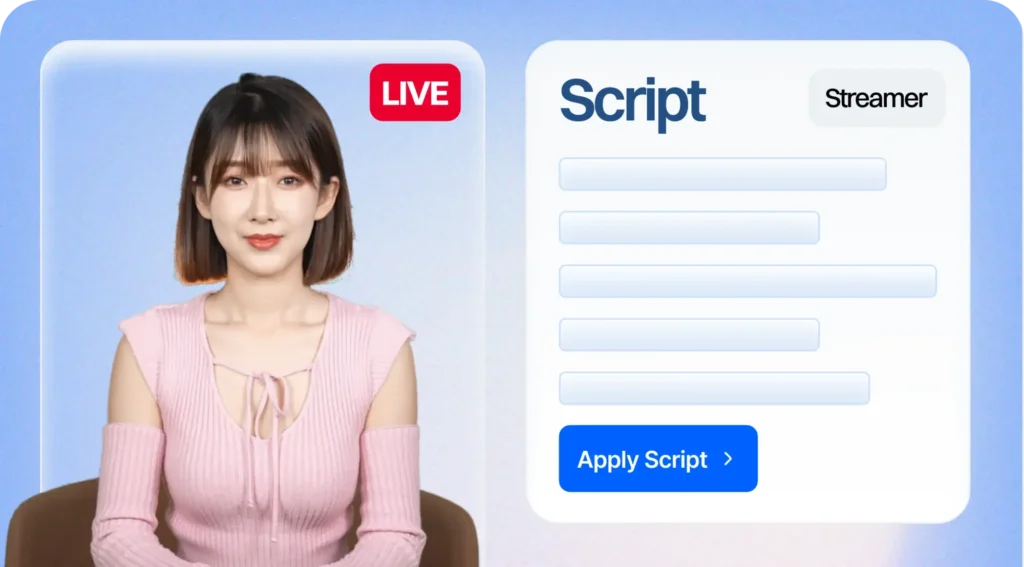
AI avatar hosting collapses all four roles into a single automated system — the avatar presents, reads and responds to every comment, moderates in real time, and pins products on a scheduled or triggered basis. This is why AI-hosted live rooms consistently generate stronger algorithmic signals than single-operator human rooms.
Physical Live Room Setup: What Actually Matters
The physical setup for a TikTok Shop live room is simpler than most sellers assume. What TikTok’s algorithm cares about is engagement, not production value. A well-lit room with audible audio and a confident host will outperform a studio-quality broadcast with a disengaged presenter every time.
That said, the physical fundamentals that consistently affect conversion include:
- Lighting — front-facing, even lighting so the host and products are clearly visible. Ring lights work well. Avoid backlighting that silhouettes the presenter.
- Product display area — products need to be physically accessible for demonstration. Viewers want to see texture, scale, fit, and real-world use. Show the product being worn, used, opened, or tested — not just held up to camera.
- Background — branded but not busy. The focus should be on the host and the product. Cluttered backgrounds distract.
- Audio — clear, room-noise-free audio matters more than video quality. Viewers tolerate lower video resolution but abandon streams with poor audio quickly.
- Internet connection — wired ethernet over WiFi where possible. Stream drops during high-viewer moments are catastrophic for algorithmic trust.
The Cold Start: What to Do in Your First 15 Sessions
The cold start period is where most new TikTok Shop live rooms fail — not because of bad products or poor hosts, but because sellers don’t understand the three-phase framework that governs how TikTok evaluates new live operations.
Stage 1 (sessions 1–3): Cold start icebreaker. TikTok is learning what your stream is. Viewer numbers will be very low — often single digits. The correct response is not to cut the session short. Run the full planned session duration regardless of viewer count. Every comment response, every product interaction, every minute of retention is a signal being logged. Sessions under 30 minutes in this stage actively damage your algorithmic standing.
Stage 2 (sessions 4–7): Climbing period. TikTok begins testing your stream with slightly larger audiences. Viewer numbers start moving. This is when comment response rate becomes the dominant metric — TikTok is measuring whether interactions lead to conversions. Every comment that goes unanswered is a missed signal.
Stage 3 (sessions 8–15): Stable growth. Algorithmic trust is established. The platform begins actively distributing the stream. GMV typically accelerates significantly after this phase if Stage 1 and 2 were executed correctly.
The TikTok Shop Live Room Script Framework
ByteDance’s research identifies a stark gap between how Western brands script their live rooms and how top-performing CN-market operators approach it. The difference:
- Basic Western approach: “This is the XYZ moisturiser, it’s usually £45, today it’s £22, great deal, limited stock.”
- Advanced CN approach: Tell the story behind the price. Why is it £22 today? What went into making this product? Who is it for specifically? What problem does it solve that the viewer has right now? What does it feel like? Show the texture. Let the viewer imagine owning it. Then create the urgency trigger with the backstory that makes it credible.
Story-driven scripts consistently convert higher than price-drop scripts. Authenticity outperforms polish. And the single most important script element is something most Western hosts forget entirely: constantly demonstrating how to buy in-app, because a significant proportion of TikTok viewers — especially newer users — don’t know they can purchase without leaving the stream.
TikTok Shop Live Room Compliance: The Three Violations That End Streams
ByteDance is explicit about compliance requirements, and violations during live sessions result in immediate stream termination or account penalties. The three most common violations to avoid:
- Redirecting off-platform — verbally or in text, directing viewers to your website, Amazon listing, Instagram, or any destination outside TikTok is a major violation. TikTok treats this as revenue diversion and penalises harshly.
- False promotions — any verbal claim that doesn’t match your Seller Center listing. If you say a product is “usually £80” and it’s listed at £45, that’s a false promotion. Scripts must be verified against catalogue data before every session.
- Unsanctioned giveaways — offering £1 price drops or unsanctioned giveaways reads as gambling behaviour to TikTok’s compliance systems. All promotions must be pre-approved through the Seller Center promotional tools.
Pre-Stream Checklist for TikTok Shop Live Rooms
Before every session, run through this checklist:
- All featured products added to live room showcase in Seller Center
- Seller Center product descriptions verified against script price points
- Script drafted with story-driven framework, not just price points
- In-app checkout demonstration scripted at regular intervals
- Team roles assigned (or AI avatar configured for automated response)
- Physical setup checked: lighting, audio, product display, background
- Internet connection tested
- Session duration planned at minimum 60 minutes (90-120 preferred)
Common Questions About TikTok Shop Live Room Setup
How long should a TikTok Shop live stream be?
ByteDance’s training materials recommend a minimum of 60 minutes per session, with 90–120 minutes being optimal for algorithmic trust-building, particularly during the cold start period. Sessions under 30 minutes consistently generate weaker algorithmic signals and should be avoided in the early growth phase.
How often should I go live on TikTok Shop?
Consistency matters more than frequency during the cold start. Three to five sessions per week at consistent times builds algorithmic trust faster than sporadic high-frequency bursts. After the cold start period, daily streaming significantly accelerates GMV growth in most categories.
Can I run a TikTok Shop live room without a human host?
Yes — AI avatar hosting platforms like Syntopia enable sellers to run 24/7 live rooms with AI-powered digital presenters that respond to comments in real time, answer product questions from the live catalogue, and deliver conversion triggers on schedule. This eliminates the host availability and energy constraints that cap most live commerce operations.
The Bottom Line
A TikTok Shop live room is not a livestream. It’s an algorithmic selling system with specific inputs — team structure, session duration, comment response rate, product presentation, compliance adherence — that determine whether TikTok distributes your stream to hundreds of viewers or tens of thousands.
The brands that figure this out in the early days of UK and US TikTok Shop — before the category leaders in their vertical are decided — will own the algorithmic slots that compound in value as the market matures. The ones that go live with one person, no script framework, and no comment response plan are generating the wrong signals at exactly the wrong time.