

The biggest misconception in TikTok Shop live commerce is that it is a solo performance. One person, one camera, one stream. If that person is good, the stream performs. If they are tired, the stream suffers.
This model works at the smallest scale. It breaks at any serious scale. The top-performing TikTok Shop live rooms — the ones generating millions in GMV consistently — are not run by a single charismatic host. They are run by teams, with defined roles, clear responsibilities, and communication systems that operate in real time during every session.
This is not speculation. It is what ByteDance taught their UK Seller Partners through their official TSP training programme. Syntopia is owned by LiveBuzz Studio — the UK’s number one TikTok Creator Agency Partner (CAP) and a TikTok Shop Partner in both the UK and US. Our team includes ex-TikTok employees who delivered this training. What follows is the 4-role live room team framework, applied to what UK and US TikTok Shop sellers are building in 2026.
For the full strategic framework behind TikTok Shop live commerce — the 4-pillar presenting system, cold start phases, and script methodology — read The TikTok Shop Live Commerce Playbook: Frameworks From Inside ByteDance Training.
Why the Solo Host Model Breaks Down
Before building the team framework, it helps to understand precisely where solo hosting fails — because the failure points are specific and predictable.
A TikTok Shop live host has four simultaneous cognitive demands during any live session. They must present products with energy and detail. They must monitor the comment feed for questions and engagement opportunities. They must manage what is being shown on screen and when. And they must maintain room atmosphere — the energy that keeps viewers watching and buying. These four demands are fundamentally incompatible for a single person at any serious session length or volume.
The result of trying to do all four simultaneously is that all four suffer. The product pitch becomes shallower because the host is reading comments. The comments go unanswered because the host is pitching. The screen management is reactive rather than strategic. And the atmosphere fluctuates with the host’s cognitive load rather than being actively managed. ByteDance’s CN TSP training identified this explicitly: the live room team structure exists not because it is nice to have, but because it is the operational prerequisite for sustained high performance.
The 4 Roles: An Overview
| Role | Primary Responsibility | Reports To | Critical Skill |
|---|---|---|---|
| Host | Product presentation — delivers the script, drives energy, manages viewer experience | Operations lead / brand | Script delivery, sustained energy, product knowledge |
| Assistant Host | Comment monitoring — reads the feed, answers product queries, flags important questions to the host | Host | Fast reading, product knowledge, calm multitasking |
| Moderator | Room atmosphere — controls the emotional tone of the session, manages disruptive users, supports the host’s energy | Operations lead | Emotional intelligence, quick judgment, platform policy knowledge |
| Picture Director | Screen management — controls what is displayed on screen, manages product links, pins key messages, handles overlays | Host | Technical platform knowledge, timing, anticipation of host needs |
Role 1: The Host
The host is the face and voice of the live room. Every viewer sees and hears the host — they are the brand, the energy, the trust signal, and the conversion engine of the session. Everything else in the team structure exists to free the host to do this one job as well as possible.
What the Host Does
The host’s job during a live session follows the 4-pillar presenting framework: over-analysing products in depth, demonstrating the checkout process, building the deal story, and repeating key messages on a cycle. In practice, this means:
- Delivering the product detail pitch — the deep, specific, sensory description of every product that forces a distracted viewer to tune in
- Building and delivering the deal story — the credible explanation of why the price is what it is today
- Executing the call to action — specific, visual, unambiguous instructions on exactly how to buy
- Maintaining energy and mood throughout the session — ByteDance’s CN training was explicit that host mood is a direct performance metric
- Responding to flagged comments from the assistant host — not monitoring the feed themselves, but responding to what the assistant brings to their attention
What the Host Should Never Have to Do
- Read the comment feed independently — this is the assistant host’s job
- Manage which products are pinned on screen — this is the picture director’s job
- Remove disruptive users or manage room atmosphere mechanics — this is the moderator’s job
- Make real-time decisions about stream structure — this should be pre-planned in the script
What Makes a Great Host
ByteDance’s CN TSP training defined the qualities that characterise high-performing hosts across markets. The list is worth understanding because it sets the bar honestly:
| Quality | What It Means in Practice |
|---|---|
| Good pacing | Knows when to slow down for detail and when to accelerate for urgency — instinctively matches energy to content |
| Great conversation | Makes the viewer feel spoken to directly, not broadcasted at — natural, warm, specific |
| Can interact | Responds to what is happening in the room in real time — picks up energy from comments, adapts to viewer reactions |
| Innovative gameplay | Brings creative energy to how products are presented — not just reading a script but making the presentation itself engaging |
| Audience edge | Has a natural draw — something about them makes viewers want to stay and come back |
| High conversion | Ultimately, the metric that matters — how well the presentation translates to add-to-cart and checkout actions |
| Strong operational thinking | Understands the mechanics of live commerce well enough to adapt — knows when to push harder on a product and when to move on |
The Mood Metric
One of the most important — and most underappreciated — insights from ByteDance’s CN training is that host mood is an explicit performance metric, not a soft factor. The causal chain is direct: host energy → room energy → viewer behaviour → conversion rate. A host who is tired, distracted, or low-energy will produce a low-converting session regardless of script quality, product selection, or team support.
This means the team’s job includes managing the host’s state before and during the session. A good pre-stream ritual, a strong opening product that the host is genuinely excited about, and a moderator who can support energy when it dips mid-session — all of these are team functions that exist specifically to protect the host’s performance state.
Role 2: The Assistant Host
The assistant host is the most undervalued role in Western TikTok Shop live commerce — and the single biggest performance lever available to any host who is currently running solo. Adding an assistant host does not just help the assistant do a new job. It fundamentally changes what the host can do, because it removes the single heaviest cognitive burden from the host’s plate: reading and processing the live comment feed.
What the Assistant Host Does
- Monitors the comment feed in real time — reads every comment during the session, which is impossible for the host to do while also presenting
- Answers straightforward product queries — size availability, ingredient questions, shipping times, return policies — directly in the comment section without interrupting the host
- Flags priority questions to the host — identifies comments the host should respond to on camera — questions that would benefit from a verbal answer because the answer creates social proof for the whole room
- Monitors for sentiment shifts — if the comment tone turns negative, confused, or disengaged, the assistant host catches this before the host does and signals the team
- Tracks which products are generating comment interest — products that spark comment activity should get more airtime; products getting no response should be moved on from
How the Assistant Host Communicates With the Host
In a physical live room, the assistant host typically sits off-camera and communicates via a secondary screen visible to the host, or through an earpiece in professional setups. In a home or small studio setup, a second phone or tablet showing the comment feed with messages sent via a shared chat app is the practical equivalent. The key is that the communication channel is pre-agreed and does not require the host to look away from the camera for more than a second.
The Impact of the Assistant Host on Host Performance
When a host is reading their own comment feed, their eyes leave the camera every 30-60 seconds. Their focus splits between presenting and reading. Their pitch gets shorter because part of their brain is processing what they just read. The product detail — the over-analysis that ByteDance’s training identifies as the first pillar of high-converting live presenting — shrinks because cognitive bandwidth is being consumed by comment monitoring.
Remove that burden and the host’s entire cognitive capacity goes to presenting. The detail pitch gets longer. The deal stories get richer. The energy is more sustained. The audience interaction feels more genuine because the host is choosing specific moments to engage with comments — rather than constantly half-monitoring a feed they cannot properly read while talking.
Role 3: The Moderator
The moderator is the most underestimated role in the entire live room team structure. In ByteDance’s CN TSP training, the moderator’s function was described with specific emphasis: they are responsible for the emotional atmosphere of the room, and a skilled moderator can rescue a session where the host is having a bad day.
That framing is important. The moderator is not just a content policeman who removes disruptive users. They are an active participant in the emotional experience of every viewer in the room.
What the Moderator Does
- Manages disruptive users — identifies and removes comments or users that create a negative atmosphere, distract from the host’s pitch, or violate platform policies
- Pins key messages — keeps the most important product information, deal details, and CTAs pinned at the right moments so viewers who arrive mid-session immediately see the key information
- Maintains positive comment energy — seeds enthusiasm in the comment section where needed, acknowledges purchasing activity (“3 people just added to cart — great choice”), and amplifies positive viewer interactions
- Monitors host energy and signals the team — when the host’s energy is flagging, the moderator alerts the team so they can intervene: a brief comment from the assistant host that requires an upbeat response, a product switch to something the host is more energised about, or a structured break in the session format
- Policy compliance oversight — watches for content that might trigger violation flags in real time and signals the host before a violation occurs, not after
The Moderator’s Most Important Function: Atmosphere Recovery
Every live session has moments where energy drops. The host hits a difficult product. The comment feed goes quiet. A string of negative comments appears. A product gets a lot of questions that suggest confusion rather than interest. In these moments, the moderator’s role is to intervene before the drop becomes visible to the audience.
A well-timed positive comment from the moderator account — “this one is incredible, I use it myself” — can change the comment tone of the room within 60 seconds. A pinned message drawing attention to a product that is selling well creates social proof at exactly the moment it is needed. These are not manipulative tactics — they are the live equivalent of what any skilled retail environment does to manage the energy of a physical space.
Violation Prevention: What the Moderator Watches For
The moderator should have ByteDance’s violation framework memorised. The five categories to watch for in real time:
- Any host language that redirects viewers to an external platform — website, Amazon, Instagram
- Product claims made on camera that are not in the seller center listing
- Spontaneous giveaway language not pre-configured in seller center
- Games or mechanics with unguaranteed purchase outcomes
- Competitor product mentions
When the moderator spots any of these developing, they signal the host immediately through the agreed communication channel. Prevention is significantly less costly than the algorithmic traffic penalty that follows a confirmed violation.
Role 4: The Picture Director
The picture director controls what the viewer sees on screen at every moment of the session. On TikTok Shop live, this means managing product pins, promotional overlays, what appears in the corner of the screen, and the sequencing of visual information that supports the host’s verbal pitch.
This role is easy to underestimate until you watch a session where it is being done well versus one where it is not. In a well-directed session, the product link appears on screen precisely when the host mentions the price. The pin updates the moment the host moves to the next product. The overlay showing remaining stock count appears exactly when the urgency trigger lands in the script. Every visual element reinforces the verbal message at precisely the right moment.
In a session without a picture director — or with one who is not synchronised — the product link is still showing for product two when the host has moved to product three. The stock count overlay is absent during the urgency trigger. The viewer’s visual experience is out of sync with what they are hearing, and that disconnect erodes trust in ways that are hard to measure but very real in their effect on conversion rate.
What the Picture Director Does
- Manages product link pins — updates the pinned product in sync with the host’s product transitions, never leaves the wrong product pinned
- Controls promotional overlays — activates stock counts, countdown timers, and deal callouts at the moments in the script where they have the most conversion impact
- Manages camera switching — in multi-camera setups, controls which angle is live: wide for atmosphere, close-up for product detail, angle shots for fashion and sizing
- Monitors the viewer-facing stream — watches the stream as it appears to viewers, not just the production side, to catch visual issues the host cannot see
- Pre-loads product assets — has all products queued and ready before the session so transitions are instant rather than creating dead air
How the 4 Roles Work Together During a Live Session
The team framework only delivers its value when all four roles are operating in coordination. Here is what a 10-minute window of a well-run live session looks like from each role’s perspective simultaneously:
| Time | Host | Assistant Host | Moderator | Picture Director |
|---|---|---|---|---|
| 0:00 | Opens product 2 pitch — detail explanation of the formulation | Updates product link pin to product 2 | Pins “New product now live” message | Switches to close-up camera angle on the product |
| 1:30 | Delivers deal story — explains why the price exists today | Reading comment feed — spots 3 sizing questions, answers them directly in comments | Notes positive comment energy, no intervention needed | Activates stock count overlay as host mentions limited units |
| 3:00 | Delivers authenticity moment — honest product limitation with solution | Flags to host: “Someone asked if it works on sensitive skin — worth addressing on camera” | Removes a spammy comment that appeared in feed | Holds current overlay — no change needed during authenticity section |
| 4:00 | Responds to flagged comment: “Great question about sensitive skin — yes, here is why…” | Continues monitoring — notes 5 people commented positively about the sensitive skin answer | Amplifies the sensitive skin thread — adds a supporting comment | No change |
| 5:30 | Urgency trigger — “27 units left, price reverts automatically at zero” | Watching comment feed for purchase intent signals | Pins “27 units remaining” message to reinforce urgency | Updates overlay with current live unit count |
| 7:00 | CTA — specific tap instruction, where on screen, how long it takes | Answers two “how do I buy” questions in comments directly | Posts “tap the link now” in comments to echo the CTA | Ensures product link is prominent and correct on screen |
| 8:00 | Pause — 20 seconds of silence for buyers to act | Monitoring purchase activity in comments | Posts “someone just ordered” if purchase confirmation appears | Holds current screen state through the pause |
| 9:00 | Re-entry hook — 60 second catch-up for new joiners | Notes re-entry hook in progress — holds flagged questions for after | No intervention — session running well | Keeps product link pinned through re-entry hook |
This level of coordination does not happen spontaneously. It requires a pre-session briefing where everyone knows the script, the product order, the key script moments where each role needs to take specific action, and the communication protocols for the session.
Building the Team From Scratch: A Practical Roadmap
Most sellers reading this are not running with a 4-person team today. Here is the realistic path from solo to fully staffed:
Stage 1: Solo Host (Starting Point)
If you are here, focus first on the script. A well-scripted solo host outperforms an unscripted host with a full team. Get the script right — read How to Write a TikTok Shop Livestream Script That Actually Converts — before worrying about team structure. The script gives you the foundation that the team then builds on.
Stage 2: Host + Assistant Host (First Hire)
The assistant host is the highest-ROI first addition to any live room. They do not need to be on camera, they do not need significant live commerce experience — they need to be fast readers, calm under pressure, and know your products well enough to answer questions accurately. The immediate impact on host performance is significant. This can be a part-time role to start.
Stage 3: Add the Moderator
Once your sessions are long enough (2+ hours regularly) and your comment volume is high enough that atmosphere management becomes a real factor, add a dedicated moderator. In smaller operations, the assistant host can partially cover moderation, but the two roles pull in different directions — the assistant host is reactive to viewer questions, the moderator is proactive about atmosphere — and trying to do both simultaneously reduces the quality of both.
Stage 4: Add the Picture Director
The picture director role becomes critical at two points: when your sessions are running longer than 3 hours (enough products and transitions to make screen management complex), and when your production setup includes multiple cameras or significant overlay work. For simpler single-camera setups, the assistant host can manage basic pin updates, with the picture director role formalised as volume increases.
How AI Replaces the Entire Team Structure
The 4-role team structure exists to solve a set of human limitations. The host cannot monitor comments while presenting. The moderator cannot always prevent the host’s energy from dropping. The picture director requires perfect timing that humans get wrong under pressure. The assistant host needs to be fast enough to keep pace with a high-volume comment feed.
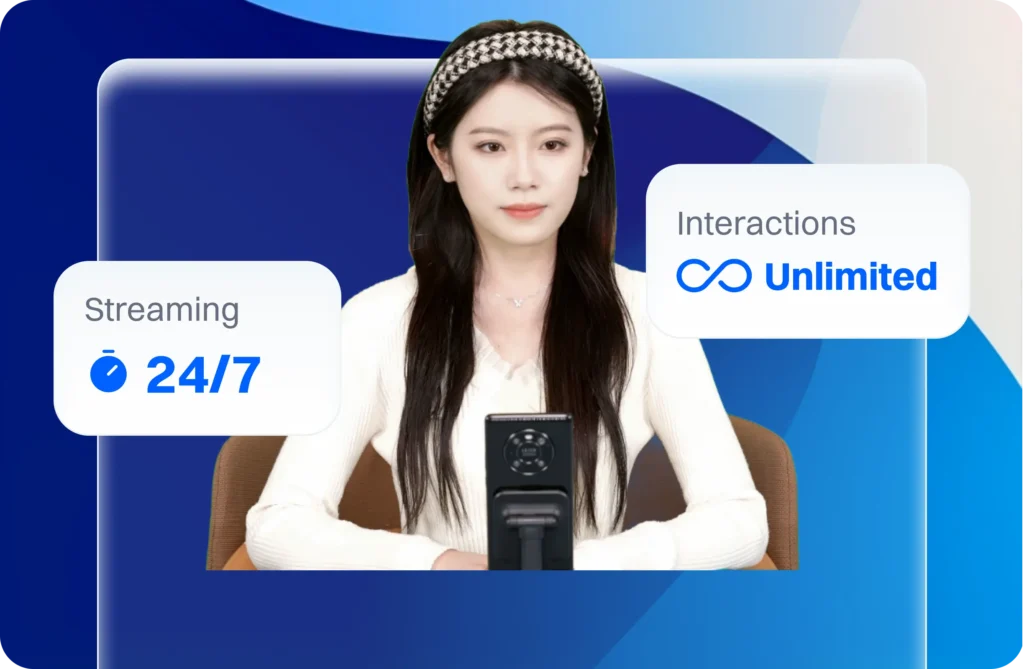
AI avatar technology built for TikTok Shop live commerce — like Syntopia’s AI live host platform — addresses these limitations differently. An AI avatar reads every comment in real time without the cognitive load conflict. Its energy does not decline over long sessions — the mood variable that ByteDance’s training identified as a direct performance metric is eliminated. Screen management is automated and synchronised to the script. And the 4-pillar presenting framework is executed with identical precision at hour one and hour twelve.
This does not make team structure irrelevant. For sellers running human-hosted live commerce, the 4-role framework in this post is the operational model to build toward. But it does reframe the team question: instead of asking how many people you need to run a high-performing live room, the question becomes what combination of human and AI capability gets you the best outcome at your scale.
Frequently Asked Questions
Can one person cover multiple roles in a TikTok Shop live room?
Yes, with limitations. The most common combination in smaller operations is assistant host and moderator covered by one person — both roles involve monitoring and responding to the comment environment, though they pull in slightly different directions. The host and picture director can also be combined in simple single-camera setups where pin management is straightforward. The combination that consistently degrades performance the most is host trying to cover assistant host — the cognitive split between presenting and reading comments reliably reduces the quality of both.
What is the most important role to hire first after the host?
The assistant host, without exception. The performance uplift from freeing the host from comment monitoring is immediate and measurable. The host’s product pitches become longer and more detailed. Their energy is more sustained. Their comment interactions — when they do engage — feel more genuine because they are responding to curated, flagged questions rather than trying to scan a full feed mid-pitch. This single addition consistently produces the largest single improvement in live room performance.
How do live room team members communicate during a session?
Communication protocols need to be established before going live and must be fast and silent. Common setups include: a secondary screen or tablet visible to the host showing a shared messaging app where the assistant host types flagged questions; a physical signal system for simple go/stop/energy-up cues in the same room; or an earpiece for professional setups where verbal communication is needed. The key principle is that any communication reaching the host should require less than one second to process so it does not break their on-camera flow.
How does the moderator role differ from the assistant host role?
The assistant host is reactive — they respond to what viewers are asking and flag questions to the host. The moderator is proactive — they shape the emotional atmosphere of the room regardless of what viewers are doing. The assistant host serves individual viewer needs. The moderator serves the collective experience of every viewer simultaneously. Both monitor the comment feed, but they are watching for different things and taking different actions based on what they see.
Related Reading: