


Syntopia BOX Guide
Human Takeover is the Syntopia BOX live mode where a real person is on camera and the AI only does the talking. You sit in front of your own camera, viewers see the real you, and your mouth is lip-synced to the script or to the AI’s real-time answers — even though you are not saying a word. It is the answer for sellers who want a genuine human face on screen but do not want to speak for hours or field every comment by voice.

This matters because of a common mix-up. People hear “AI live selling” and picture a synthetic avatar standing in for a person. Human Takeover is the opposite: the face is a real human, and the AI simply drives the lip movement and handles the words. There is no AI avatar and no digital clone of your likeness in this mode — just you, with the talking automated.
Below is exactly what the mode does, how to set it up (a 1080p camera and a V5 look trained in your real setup), when to use it instead of a full AI digital human, and how to keep control — including the one-click exit that hands the mic straight back to you.
- Human Takeover = a real person on camera. The AI drives lip-sync and reads the script or AI answers; it is not an AI avatar or a clone of your likeness.
- Setup is light: a PC camera at 1920×1080, a V5 look trained on video filmed in the same fixed setup, lighting and distance you will go live in.
- Real-time interaction is built in: Smart Live Chat lets the host answer viewers as they type, so the stream talks back — the thing platforms actually ask for.
- You keep control: one click starts Human Takeover, the same button exits it and hands the talking back to you live.
What Human Takeover actually is
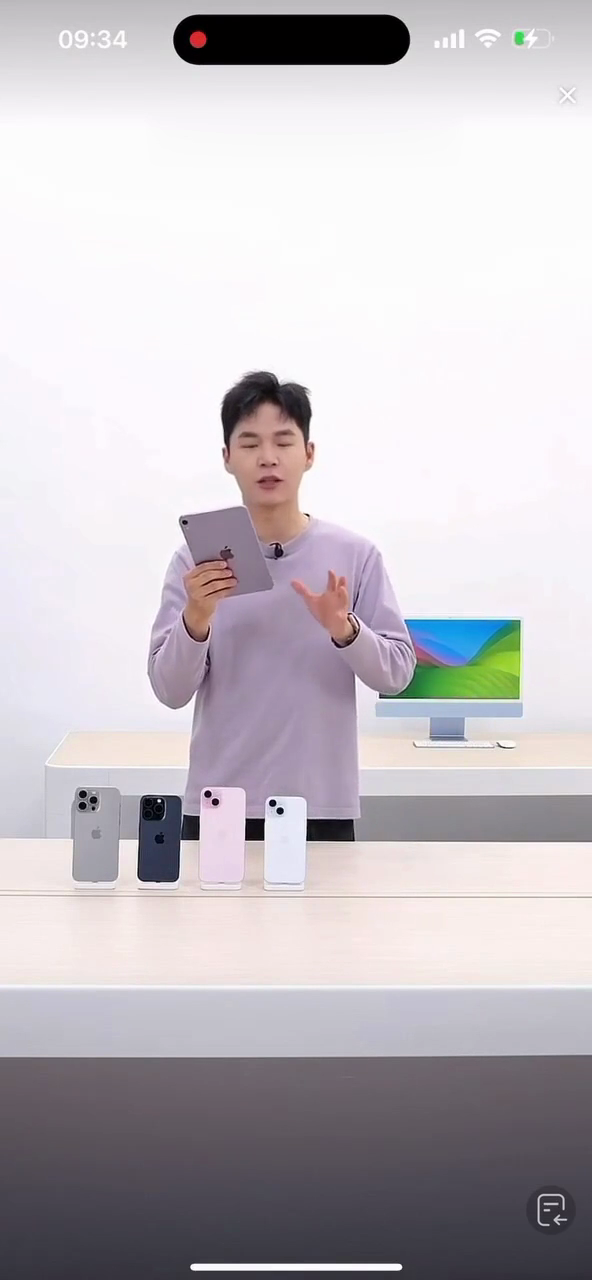
In a Syntopia BOX Human Takeover stream, the picture is your live camera and the voice is the AI. You sit in front of your PC camera; viewers see the real you; and your mouth moves to match the script or the AI’s chat answers, even though you are not speaking. BOX processes your camera feed, aligns your lips to the audio, and sends that picture into your live app through the HD Camera.
That makes it fundamentally different from an AI digital human, where the on-screen host is an AI avatar model trained from footage. Here the human is real and present the whole time. The AI’s job is narrow and specific: say the words (from your written script or from the live chat answers) and keep the lips in sync. Because a real person is in frame, you naturally turn, gesture, pick up and hold the product, and move around — the organic movement that a loop or a slideshow can never fake.
A real face on screen, with the talking automated — so one presenter can “host” for hours without losing their voice or missing a comment.
Human Takeover vs a full AI digital human
Both modes end up as a hosted live stream that answers buyers, but they start from opposite places. One puts a real person in front of the lens; the other generates the host. Here is how they compare.
| Human Takeover | AI digital human | |
|---|---|---|
| Who is on screen | A real person (you or a presenter), live on camera | An AI avatar model trained from a short video |
| What the AI does | Drives lip-sync and speaks the script / chat answers | Generates the host and speaks the script / chat answers |
| Is it a clone of a likeness? | No — the face is a real human | It is an AI avatar, not a recording of a live person |
| Presence needed | You sit in frame during the stream | Runs unattended once connected |
| Best for | Trust, a known face, hands-on product demos | Scale, 24/7 rooms, many products / many rooms |
| Movement | Natural — you move for real | Avatar turns, holds product, sips water, steps out and back |
When to use Human Takeover
Setting up Human Takeover, step by step
The setup rides on the same one-time PC preparation as every Syntopia BOX stream — the HD Camera (virtual camera) and VB-Audio Virtual Cable installed, and BOX running. If you have not done that yet, follow the complete BOX guide first. Then:
Train a V5 look in your real setup
Create your presenter as a digital human from a short training video and pick a V5 look for the quickest setup. For Human Takeover specifically, film that training video in the same fixed setup, lighting and camera distance you will actually go live in. The closer the training footage matches your live conditions, the cleaner the lip-sync looks when you take over.
Set the camera to 1080p and frame it
Set the PC camera to 1920×1080. If you are going vertical for TikTok or Shopee, adjust the rotation for a vertical stream. Sit where your training video was shot — same distance, same light — and keep yourself within frame so the lip alignment stays accurate.
Build the live room
Build your live room as usual: add products and a script (write it yourself in Standard Mode, or import product info and let AI Stream Mode write it), and switch on Smart Live Chat so the host answers viewers in real time. This is the voice and the words the AI will put to your lips.
Go live, then switch on Human Takeover
Click Go Live Now. In the live console, click Human Takeover (top-left), choose your PC camera, and click OK. Wait about 30 seconds — the console switches to your camera and BOX begins moving your mouth to match the script and the AI answers. In TikTok LIVE Studio nothing changes: you still add HD Camera as the video source, exactly as with any other BOX stream.
- Picture: BOX sends your lip-synced camera feed out through HD Camera; add HD Camera as the video source in your live app.
- Voice: it travels through VB-Audio Virtual Cable — set Speaker = CABLE Input in BOX and Microphone = CABLE Output in your live app.
- No deduplication: it is a real live camera, so you do not need OBS or the deduplicator for this mode.
Keeping control: the one-click exit
The safeguard that makes Human Takeover comfortable is that you are never locked out. The AI handles the talking while it is on, but the moment you want to speak for yourself — a surprise question, a VIP buyer, a flash offer you want to deliver in your own voice — you click the same Human Takeover button again to exit. Control returns to you and you carry on live, in person. Because a real human can step in instantly, the stream always has a person behind it, not just a script.
Why this is a compliant way to run an AI live
Platforms are not anti-AI; they are anti-fake-live. The rules that matter most — on TikTok Shop and across most markets — ask that your live interacts with viewers in real time, is labelled as AI where AI is involved, and keeps moving rather than looping a recording. Human Takeover lines up with all three.
- Real-time interaction: with Smart Live Chat on, the host reads the chat and answers viewers as they type, in real time — not a recording on a loop that never replies.
- Disclosure: the voice and lip-sync are AI-assisted, so switch on the platform’s AI-generated content label and tell viewers they are hearing an AI host. The face is real; the talking is automated, and you say so.
- Keeps moving: you are a live person, so natural movement is built in — no stills, no loops, and the presenter is clearly the focus rather than a figure covering the screen.
Read your own market’s policy before you go live; requirements differ by country, but the shape is the same — interact, disclose, don’t fake it.
What it replaces
A professional live host in the West can cost roughly $100–200 an hour, and that is before the hours of voice work and comment-watching a long sell-through demands. Human Takeover keeps the human face that shoppers trust while handing the repetitive talking and the chat replies to the AI, so one presenter can anchor far longer sessions. Syntopia BOX runs on your own Windows PC and starts from $2.26 an hour; see the Syntopia pricing page for the full plan line-up.
Frequently asked questions
Is Human Takeover an AI avatar or a clone of me?
No. In Human Takeover the person on camera is a real human — you, live, in front of your own camera. The AI does not generate a face or clone your likeness in this mode; it only drives the lip movement and speaks the script or the chat answers. If you want a generated host instead, that is the separate AI digital human mode.
What do I need to set up Human Takeover?
The standard one-time Syntopia BOX setup (HD Camera and VB-Audio Virtual Cable installed, BOX running), a PC camera set to 1920×1080, and a V5 look trained from a short video filmed in the same fixed setup, lighting and distance you will go live in. Then build your live room, click Go Live Now, and switch on Human Takeover from the top-left of the console.
Do my lips really sync to the AI voice?
Yes. Once you choose your PC camera and confirm, BOX takes about 30 seconds to switch the console to your camera, then moves your mouth to match the script and the AI’s real-time answers while you sit in frame without speaking. Training your V5 look in your actual live conditions gives the cleanest result.
Can I take over and speak myself during the stream?
Yes — that is the point of the exit control. Click the Human Takeover button again to turn it off, and the talking returns to you instantly so you can speak live in your own voice. Click it once more to hand the talking back to the AI.
Is Human Takeover allowed on TikTok Shop and other platforms?
It fits what the platforms ask for, as long as you run it right: keep Smart Live Chat on so the host answers viewers in real time, switch on the AI-generated content label because the voice and lip-sync are AI-assisted, and let your natural on-camera movement keep the picture live. Always check your own market’s AI content policy before going live.
When should I use a full AI digital human instead?
Use a full AI digital human when you need rooms running unattended around the clock, or many rooms at once, where no one has to sit in frame. Use Human Takeover when a real, trusted face — and hands-on product demos — matter more than running completely hands-off.
