


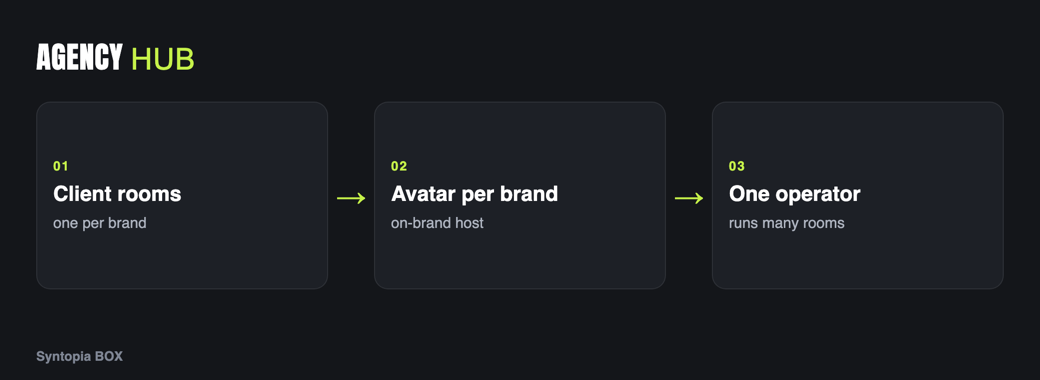
AI live selling for an agency turns a service you could only sell by the hour into one you can scale. Instead of staffing a human host for every client’s stream, your agency runs a trained AI host per brand — each with its own avatar, voice and script — across many concurrent rooms from a lean operator desk. This guide covers managing multiple client accounts, keeping brands separate, reporting, and onboarding a new client with Syntopia BOX.

The agency opportunity
Live commerce is a service brands want and few can staff well. Finding, training and retaining live hosts is hard; covering long hours across several clients is harder still. That is precisely the kind of labour-bound bottleneck an agency can productise. With AI hosts, the thing you sell stops being “one host, one shift” and becomes “always-on live rooms for every client on your roster”.
Because Syntopia BOX runs on your own machines with no hard cap on rooms, your capacity scales with the PCs and accounts you provision rather than with how many hosts you can hire this month. That changes the unit economics of a live-selling agency entirely.
It also changes what you can sell. A traditional live-selling agency bills by the host-hour, so revenue is capped by the hours your people can physically work. An AI-host agency bills for coverage and outcomes — always-on rooms, extra time slots, additional markets — which are things a client genuinely cannot buy from a human-only shop. That makes the service both easier to differentiate and easier to grow, because adding a client does not mean adding a hire.
- Serve many brands without recruiting a human host for each one.
- Give every client a distinct on-brand avatar and voice.
- Run rooms around the clock and across time zones from one place.
- Grow the roster without growing headcount at the same rate.
Managing multiple client accounts
Each client has their own shop account on their chosen platform. In Syntopia BOX you connect and run those accounts, keeping each client’s stream, catalogue and logins organised so nothing bleeds between brands. The important discipline is isolation: client A’s products, scripts and avatar should never appear in client B’s room. Assign rooms to specific machines and keep each client’s assets clearly labelled.
Treat the platform relationship as the client’s: they own the shop and the account, you operate the live stream on their behalf. That keeps compliance and whitelisting clean — more on that below.
A separate avatar and voice per brand
An agency’s product is on-brand consistency. In BOX you can train a separate avatar for each client and give each one its own voice: record a short sample in the brand’s target language and train a voice model for it, so every client’s host sounds right for its audience. One brand can have a crisp, premium presenter; another a warm, casual one. You can build a whole roster of avatars, each stored and reused per client.
For brands selling across borders, you train a voice model per language rather than reusing one voice everywhere — the same discipline covered in the global scaling guide.
Concurrent rooms across clients
The core of the agency model is running many rooms at once. Syntopia BOX lets you run multiple live streams simultaneously, and because there is no hard cap, you scale into the hundreds by adding PCs and accounts as the roster grows. One client might get a single daily room; another might want several rooms across time zones. You allocate capacity per contract and add machines when demand justifies it.
Your capacity scales with the machines you provision, not with how many hosts you can hire this quarter.
Reporting to clients
Clients pay for outcomes, so reporting is part of the service. Pull the per-room metrics Syntopia BOX surfaces — hours live, comments answered, how each room performed — and package them per client. Reporting per avatar and per room lets you show a brand exactly what their rooms did and A/B which scripts and offers worked, which is also your best upsell: the data tells the client where another room or another time slot would pay off.
Set the cadence early and keep it consistent — a weekly summary per client, with a monthly review of what to change. Over time this reporting becomes a moat: you accumulate a record of which scripts, scenes and offers convert for each brand and category, which is knowledge a client cannot easily take elsewhere. It also keeps renewal conversations grounded in evidence rather than vibes, which is exactly where you want them.
One operator across many rooms
Because the AI hosts run unattended, a single operator can watch over many rooms at once, stepping in only when something needs a human. When a VIP question or a sensitive moment arrives, your operator can trigger a takeover or a shift change without the stream dropping. This is what makes the agency margin work: you are selling dozens of live-room-hours while paying for a handful of operator-hours.
Staff for monitoring and exceptions, not for performance. One well-set-up desk can supervise a roster that would have needed a room full of hosts.
Onboarding a new client
Keep this flow as a repeatable checklist so each new client is onboarded the same way, which is what lets you add brands without adding chaos. Larger single-brand clients with big catalogues behave more like the enterprise brand-ambassador model; an agency simply runs that pattern many times over, once per client. Plans and capacity are on the pricing page.
Frequently asked questions
Can an agency run AI live selling for many brands at once?
Yes. Syntopia BOX is designed to run many client rooms in parallel, each with its own avatar, voice, script and shop account. Because there is no hard cap on rooms, your capacity scales by adding PCs and accounts as your roster grows, into the hundreds if your hardware supports it. You keep each client’s assets isolated so nothing bleeds between brands.
How do I keep each client’s brand separate?
Train a separate avatar and voice model per client, store each brand’s scripts and catalogue distinctly, and assign client rooms to specific machines. The platform account stays the client’s own. This isolation keeps one brand’s products, host and voice from ever appearing in another client’s room.
How many operators do I need to run client rooms?
Far fewer than one per room. The AI hosts run unattended, so a single operator can supervise many rooms and step in only for exceptions, triggering a human takeover or shift change when a moment needs a person. You staff for monitoring and exceptions rather than for performance, which is what makes the agency margin work.
What do I report to live-selling clients?
Package the per-room metrics Syntopia BOX surfaces, such as hours live, comments answered and how each room performed, broken out per client and per avatar. This shows a brand exactly what their rooms did, lets you A/B scripts and offers, and points to where another room or time slot would pay off, which doubles as your upsell.
Do agency client accounts need whitelisting?
Often, yes. Each platform sets its own policy on AI hosting, and some accounts must be approved before AI hosting runs smoothly. Confirm the current platform rules and complete whitelisting for each client account during onboarding so the streams run cleanly from day one.
