


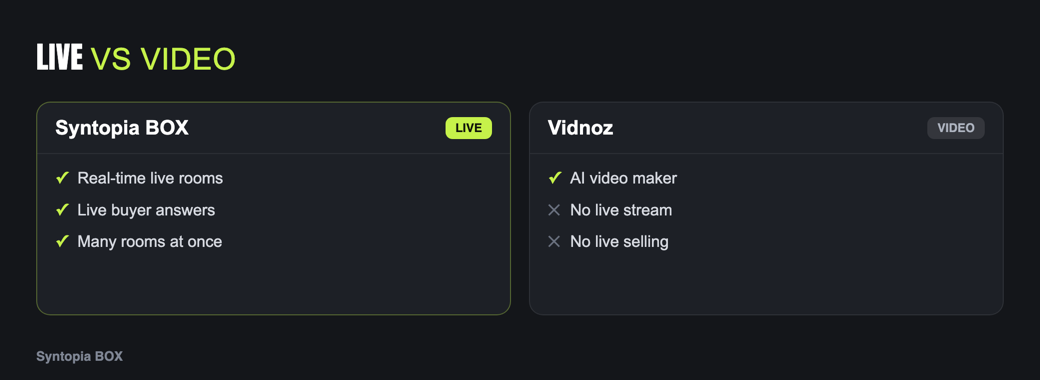
Vidnoz and Syntopia BOX both put an AI avatar on screen, but one makes a clip and the other runs a live room. Vidnoz is a web-based video generator with talking avatars; Syntopia BOX is an on-premise app that streams a live AI host to your shop. If you are considering a Vidnoz alternative because you need to actually go live, here is the honest comparison for AI live selling.
Vidnoz at a glance
Vidnoz is an accessible web video platform: talking-avatar generation, a library of stock voices and avatars, templates, and a range of quick AI editing tools. It is well suited to producing short social clips, simple product videos and marketing snippets fast and cheaply, in the browser. Its job is generating video, and for that it is a handy, low-friction tool.
Generated video vs live stream
The dividing line is the same one that separates every video generator from a live host. Vidnoz produces a file: you type a script, pick an avatar and voice, generate, and download or share the clip. Syntopia BOX produces a live room: a host streaming right now to TikTok, YouTube or Shopee, reading the comment feed and answering out loud, showing the product, and running for hours. One is content; the other is a sales channel.
A generated clip plays the same for everyone. A live host answers the specific person who just asked about sizing.
Avatar and voice options
Vidnoz leans on a library of ready-made avatars and stock voices, which is exactly what makes it fast for clips. Syntopia BOX trains a dedicated AI avatar from your own presenter footage and, for each market, has you record a short voice sample and train a V10 voice model — so a live host speaks that language in its own trained voice instead of reading a stock track. See the voice model guide for how that works.
The reason this matters is consistency over time. A stock avatar and a stock voice are fine for a one-off clip, but a live store is something viewers come back to, and a recognisable, consistent host is part of what they come back for. Training your own avatar and a voice per language also keeps you in control of the identity: the same host, the same tone, the same face across every room and every market, rather than a different borrowed presenter each time. For cross-border sellers the per-language voice point is the practical one — you are not translating a caption on a video, you are having the host actually speak the buyer’s language, which is a very different experience on the other side of the screen.
Concurrent rooms and real selling
Because Vidnoz outputs clips, “scale” means generating more videos. Because Syntopia BOX runs live rooms, scale means hundreds of concurrent live streams — no hard cap — by adding PCs and BOX accounts, each answering its own room’s comments. If your goal is a presence across many shops, products or languages at once, that is a capability a generator does not offer. See running multiple lives at once.
On-prem app vs web tool
Vidnoz is a web tool — you work in the browser and your content is processed in its cloud. Syntopia BOX is an on-premise Windows application: it runs on your own PC, your footage and scripts stay on hardware you control, and you add machines to add rooms. For sellers who care about data control or who run at scale, that is a meaningful difference.
When Vidnoz is enough, and when you need BOX
Feature comparison
| Tool | Real-time live? | Concurrent rooms | On-prem | Answers live chat | Per-language voice training |
|---|---|---|---|---|---|
| Syntopia BOX | Yes | Hundreds (no hard cap) | Yes (Windows) | Yes | Yes — record + train V10 |
| Vidnoz | No (generated video) | No | No (web tool) | No | Many stock voices |
Vidnoz capabilities are summarised from public positioning and may change; verify current details with the vendor.
From clips to conversations
The jump from a clip tool to a live host is not just “the same thing, but streaming.” A generated clip is a monologue: it says its piece and stops, and it says the same piece to every viewer. A live room is a conversation: the viewer sets the agenda by asking, and the host has to answer that specific person, in order, while the product is on screen. Everything that makes live selling convert — the sense that a real presence is paying attention — comes from that loop, and a generator has no loop to offer.
This is also why stock avatars and stock voices work fine for clips but feel thin for a live store. In a 30-second clip, a generic face is unremarkable. In a two-hour live room that viewers return to, the host becomes the face of your shop, so it is worth training a dedicated avatar and a voice per language rather than borrowing one from a library. The medium raises the bar on identity.
A typical scenario: scaling past one video at a time
A seller using Vidnoz can turn out product clips quickly, and for a while that is enough. The ceiling appears when demand outgrows content: they want a presence in several shops and languages at once, and they want someone there to answer buyers — neither of which “make another video” solves.
With Syntopia BOX the same seller runs live rooms instead of rendering files: one room per shop or language, each answering its own comments, all running at the same time and scaling by adding PCs. The Vidnoz clips still do their job as ads and social posts that drive people to the live rooms. The clip tool feeds the funnel; the live host closes it. Seeing them as stages rather than competitors is usually the fastest way to decide what you actually need next.
Which should you pick?
For fast, affordable talking-avatar clips, Vidnoz is a practical browser tool. For a host that sells live — real-time comment replies, many rooms, on your own hardware, with a voice trained per language — Syntopia BOX is the right category. Compare current plans on the pricing page, or see the whole field in the best alternatives guide and the software hub.
Frequently asked questions
Can Vidnoz do AI live selling?
No. Vidnoz is a web-based video generator that produces talking-avatar clips you download or share. It does not stream a live host or answer live comments. For real-time live selling you need a live tool such as Syntopia BOX.
What is the best Vidnoz alternative for going live?
Syntopia BOX is the closest fit for AI live selling: an on-premise Windows app that runs an AI host live to TikTok, YouTube or Shopee, answers comments out loud, and scales to hundreds of concurrent rooms.
Is Vidnoz cheaper than Syntopia BOX?
They are priced for different jobs, so a direct comparison is misleading. A clip generator and a live-selling platform solve different problems. See the Syntopia pricing page for current BOX plans rather than relying on quoted numbers.
Does Syntopia BOX use stock avatars like Vidnoz?
No. BOX trains a dedicated AI avatar from your own presenter footage, and for each market you record a short voice sample and train a V10 voice model, rather than picking from a stock library.
Can I use Vidnoz and Syntopia BOX together?
Yes. Use Vidnoz for quick marketing clips and Syntopia BOX for the always-on live store. They complement each other rather than compete.
