05_Face and Hand KT Edition Taobao Livestream Setup Tutorial
Face and Hand/KT Edition Taobao Livestream Setup Tutorial
1. Digital Human System Model and Voice Training
Face + Hand is a mainstream livestream approach suited to Taobao's public traffic pool that avoids low-quality-content risk controls: a real person appears on camera to narrate product introductions, without the script revealing specific product parameter details; when showcasing goods, the view switches to a hand close-up, onto which the keyed-out product footage is overlaid.
The livestream logic: the system randomly plays a real-person face narration clip to introduce products and drive traffic, then switches to the hand-view shot, overlaying the corresponding product image onto the hand footage. All footage must be pre-edited into segments in advance, and the clips are rotated and swapped during the livestream.
Both Face and Hand mode and KT Edition mode can be broadcast directly on Taobao's public traffic pool.
Face and Hand Mode Video Recording
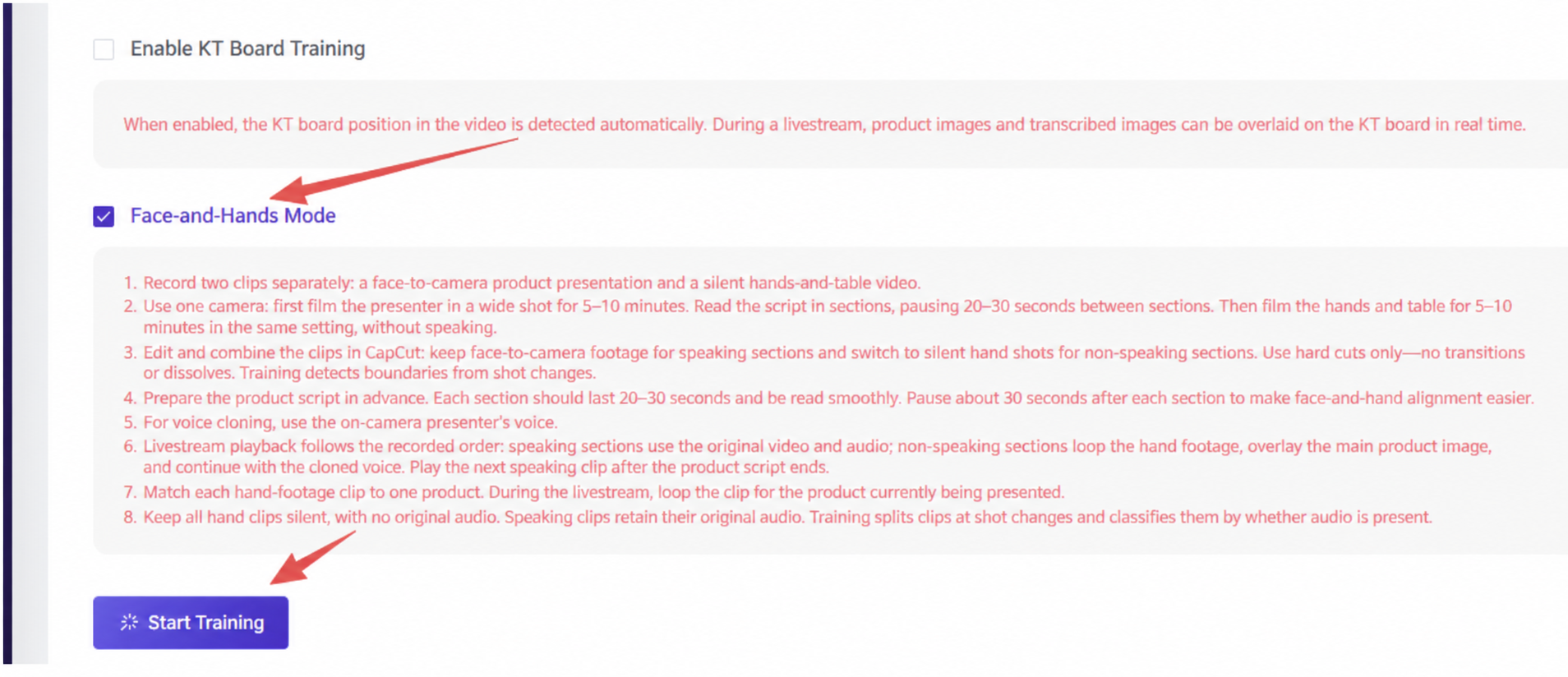
Import the video footage, select the V5 avatar, and check Face and Hand Mode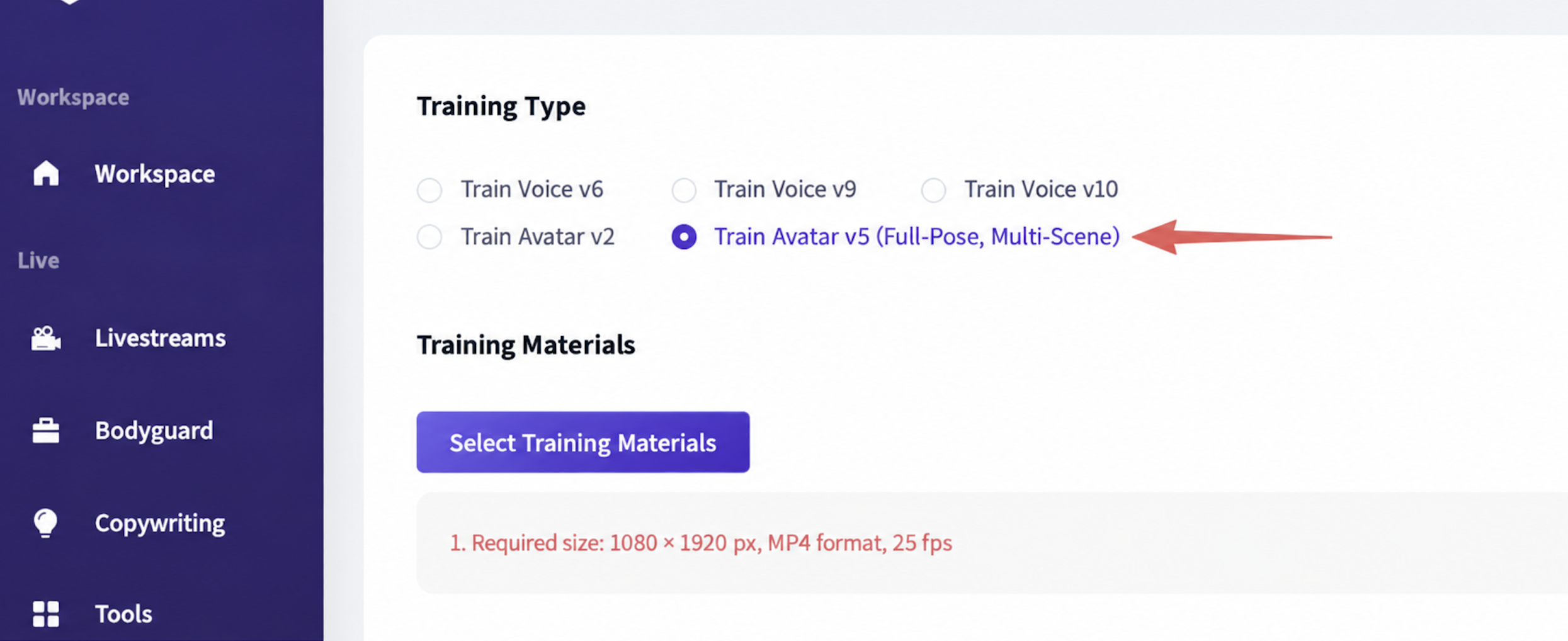
1.1 Preparation
Prepare two sets of footage: 1. Face product-narration video 2. Hand + table silent video
Script preparation: write the script in advance, with each segment lasting 20-30 seconds, leaving pauses between segments to make it easier to cut between shots later
1.2 Single-Camera Filming Steps
First film the [Face Overview Video] for 5-10 minutes
- Read the livestream script facing the camera (about 30 seconds per segment)
- After finishing each script segment, pause for 20-30 seconds without speaking
Then film the [Hand + Tabletop Footage] for 5-10 minutes
- The scene, lighting, and camera position must exactly match the face video above
- Do not make any sound throughout; hands should perform actions like picking up and showcasing the product, and the video should be silent
- Each product corresponds to one segment of hand footage
1.3 Editing and Merging
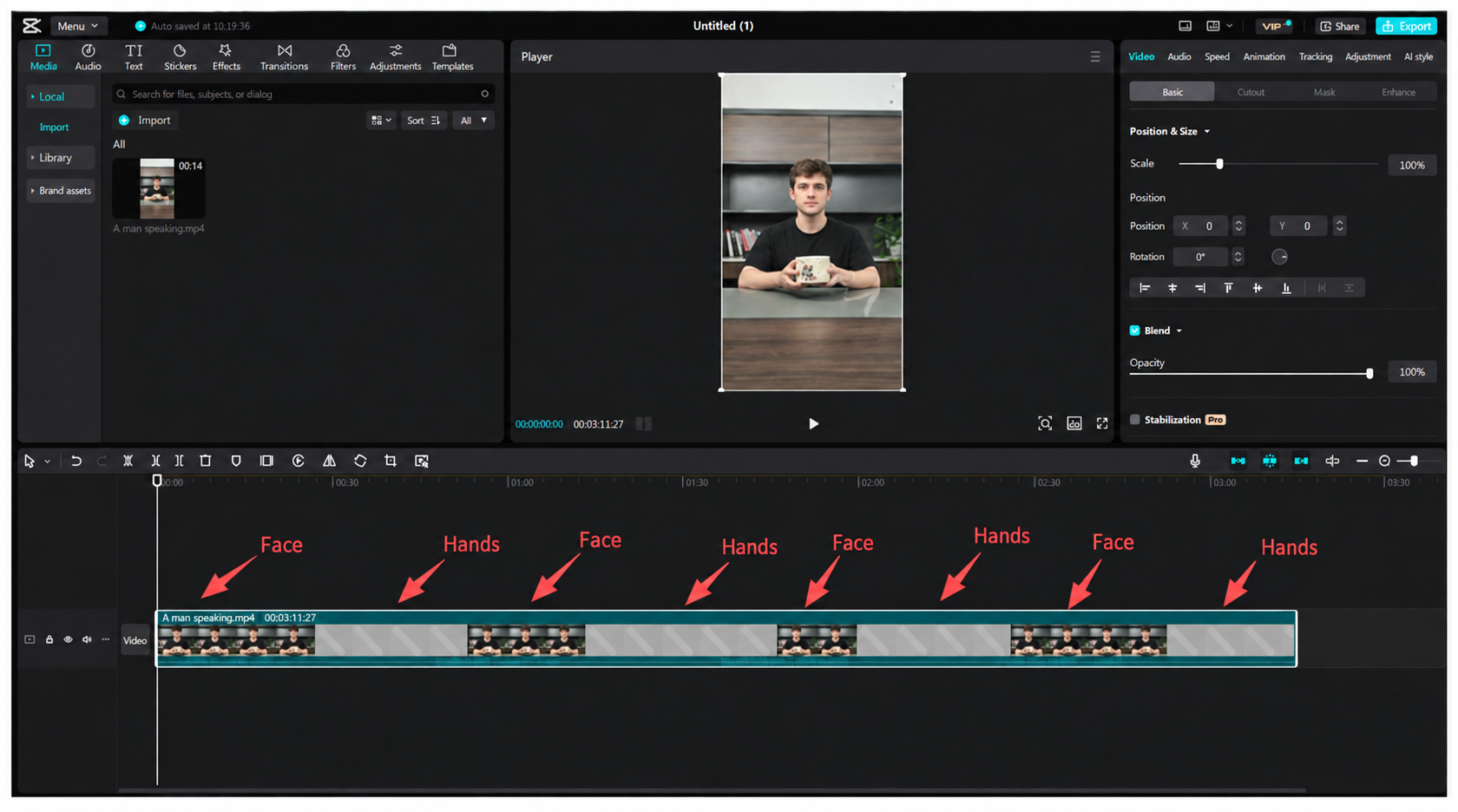
- Import the face video and the silent hand video into CapCut (Jianying)
- Speaking segments: keep the face footage and keep the original audio
- Silent segments: hard-cut to the silent hand footage
- Requirement: use only hard cuts to splice the footage (30 seconds of real-person product narration + 30 seconds of hand footage + 30 seconds of real-person product narration + 30 seconds of hand footage + ...). Transitions, cross-dissolves, and fade-in/fade-out are prohibited, to make it easier for the AI to detect shot boundaries
- Export the finished edited video for use in V5 avatar Face and Hand mode training
1.4 Voice Cloning Setup
Use the on-camera person's voice for voice cloning; the AI livestream will reuse this voice to narrate products
1.5 Livestream Result
- Plays in the order of the composited video
- Speaking segments: plays the original video + original audio, showing the host's face
- During silent gaps: loops the corresponding product's hand footage, with the product's main image overlaid, while the cloned AI voice continues narrating the product
- Once the current product's full script has been delivered, it cuts to the next face-speaking video segment
- Asset matching rule: whichever product is being discussed, the hand footage dedicated to that product is looped
2. KT Board Livestream
KT Board is used to improve the product-narration rate and optimize the Taobao livestream room's quality score; during the livestream, the product image is automatically overlaid onto the KT board position in the frame.
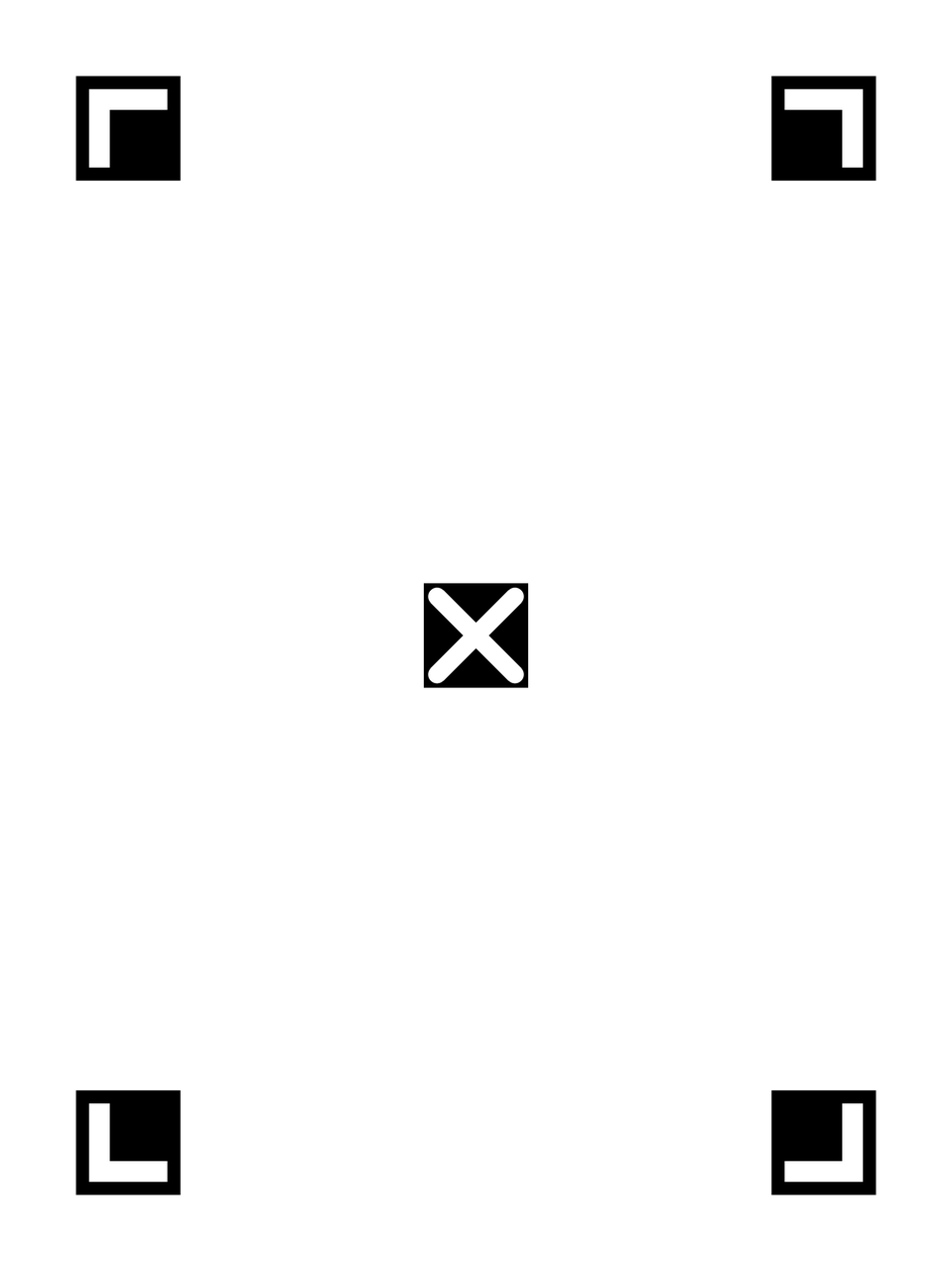
2.1 Download the Standard KT Board
Print at A4 paper size; do not laminate, to avoid glare. When filming, make sure the L markers at all four corners and the X marker at the center are fully in frame and not covered by hands.
2.2 Recording Requirements
- A green screen or solid-color background is recommended; lighting should be even to prevent glare or overexposure on the KT board surface; keep the camera properly focused to ensure a sharp image of the board.
- When holding the KT board, grip it by the top/bottom edges or the left/right sides with both hands; never cover the L markers at the four corners or the X mark in the center.
- Keep the board facing the camera as directly as possible, fully visible within the frame; a slight tilt is allowed, but the corner and center markers must not go out of frame or be blocked by the body.
- Movements while holding the board should be smooth and steady; while moving the board in and out of frame, all recognition markers must remain clearly visible.
- The person should face the camera directly, filmed in a fixed half-body or full-body standing position; the video resolution must match the resolution selected for the cloned model.
- Record for 8 minutes, silent throughout
Below is a sample KT board recording clip: 🎬 [Video] August 19.mp4
(File size: 15.5MB, exported with this document; see the file in the same directory)
Enabling KT Board training for the V5 avatar: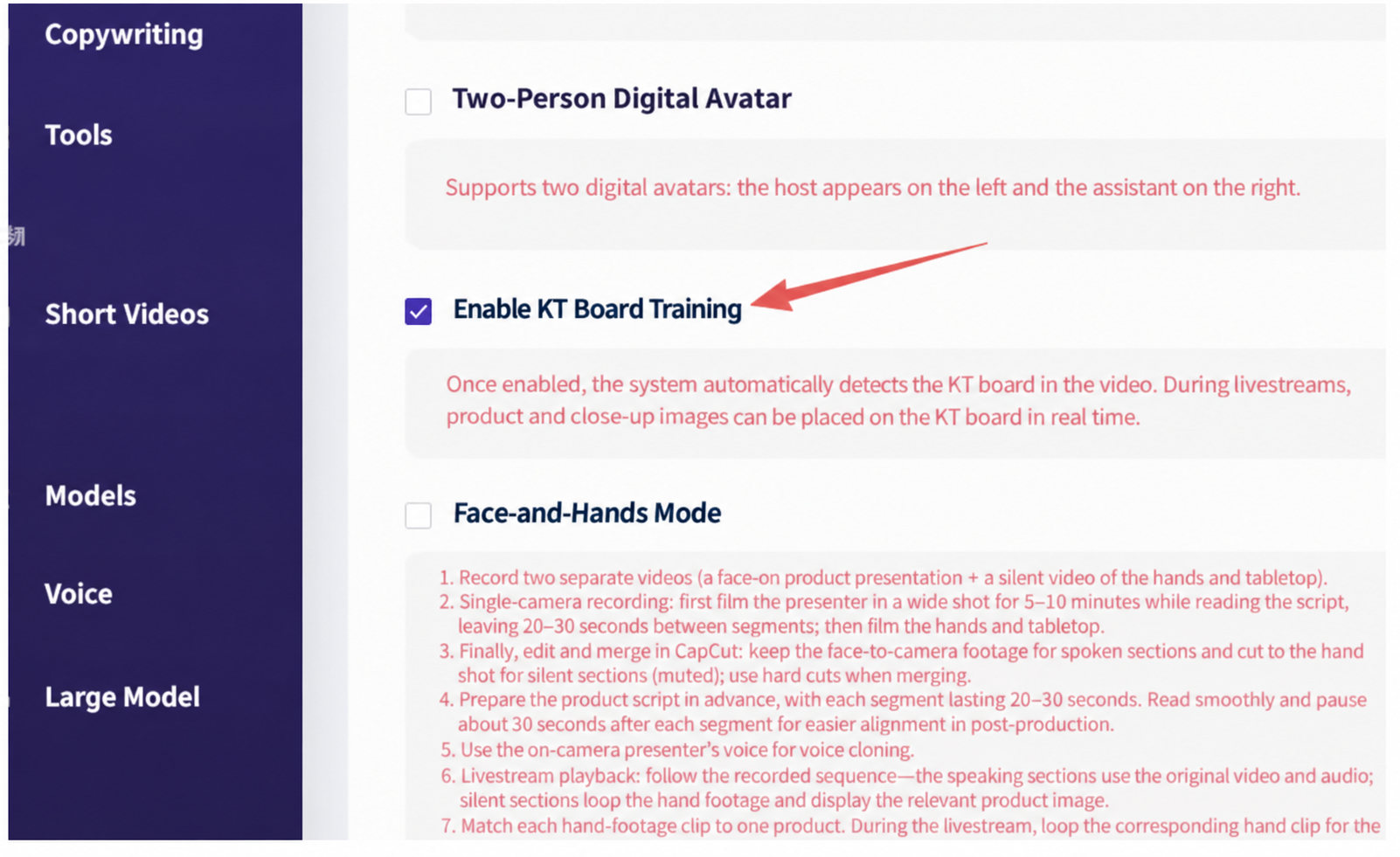
2. Digital Human System Taobao Livestream Room Setup
1. When creating a new livestream, select the Taobao livestream platform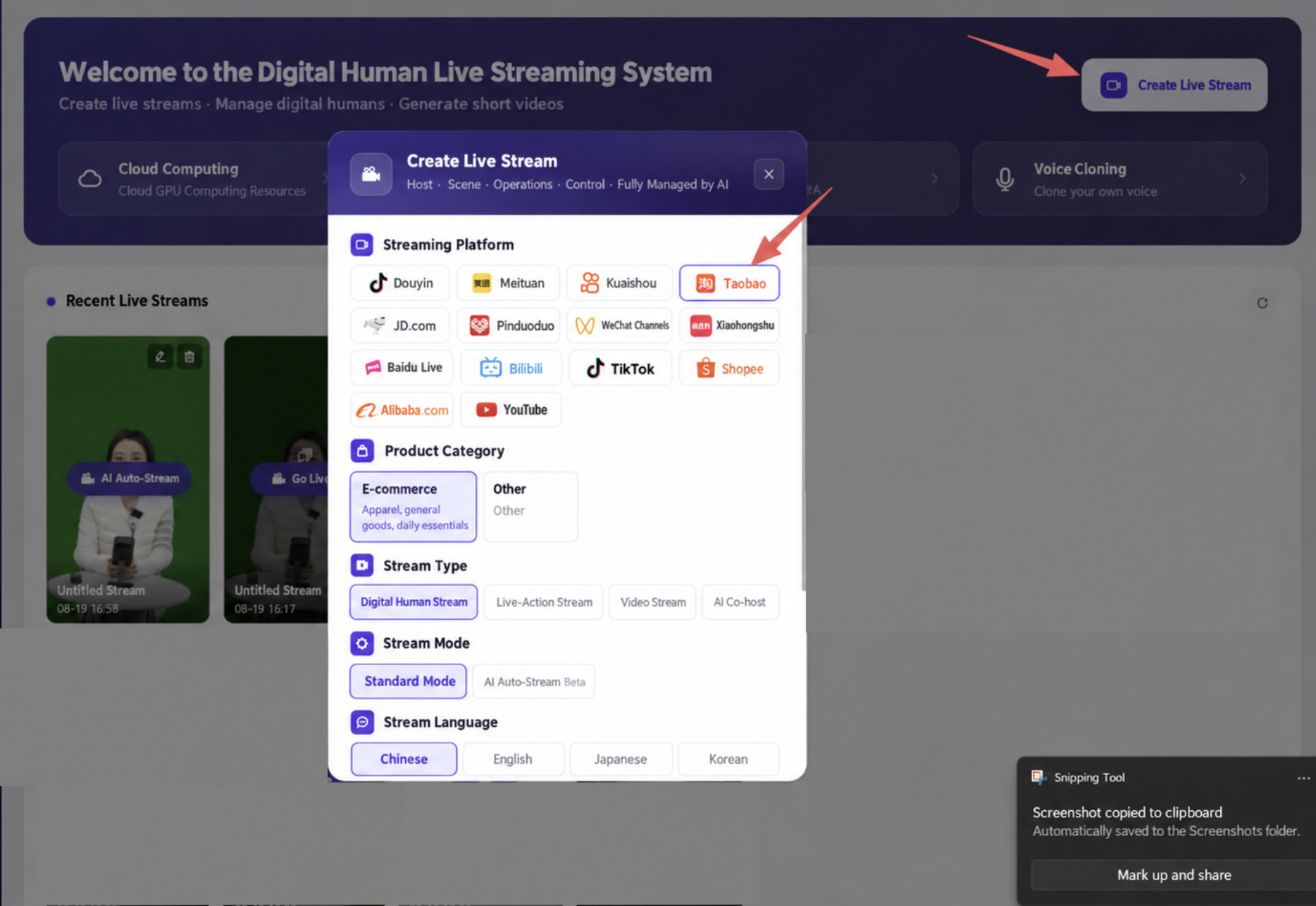
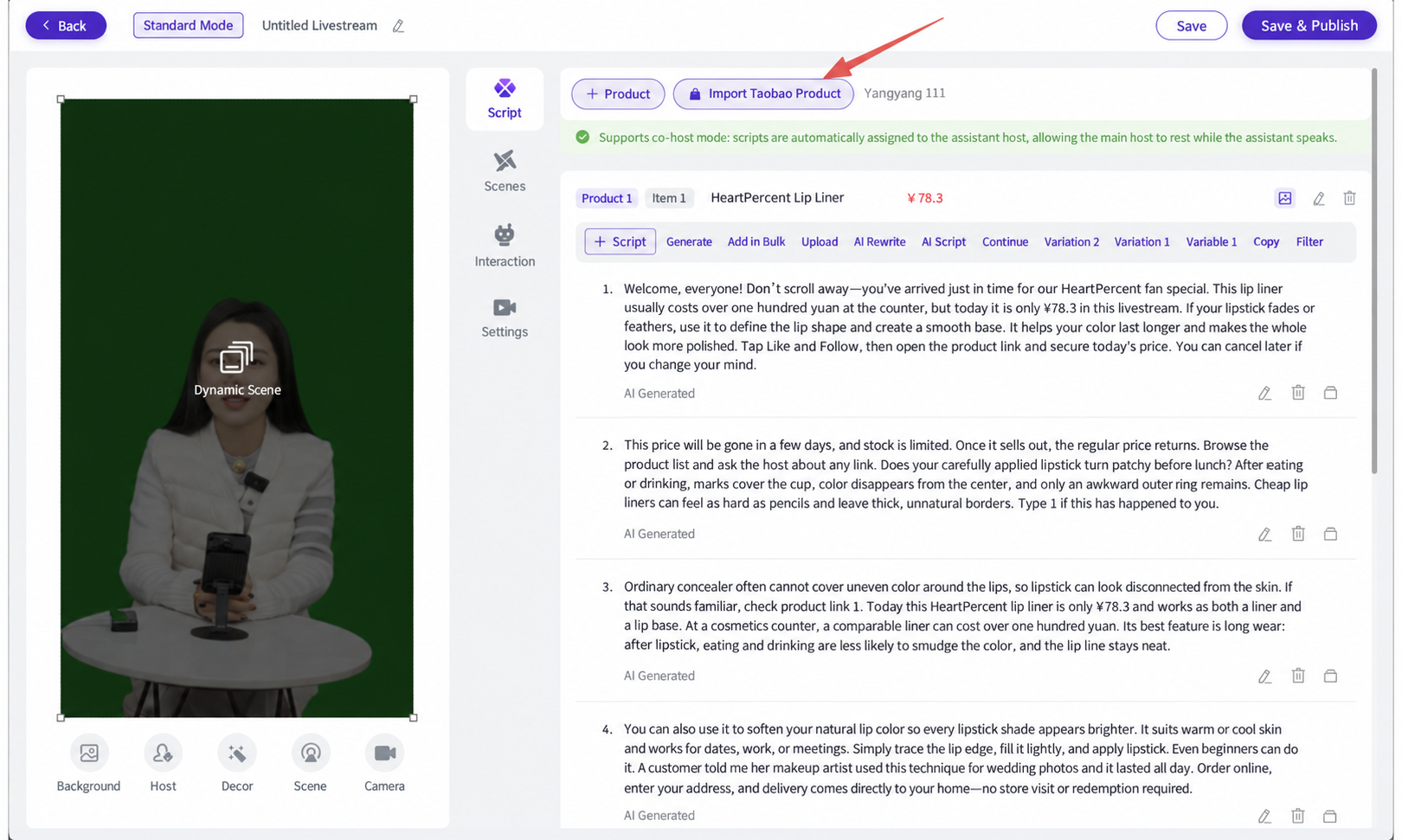
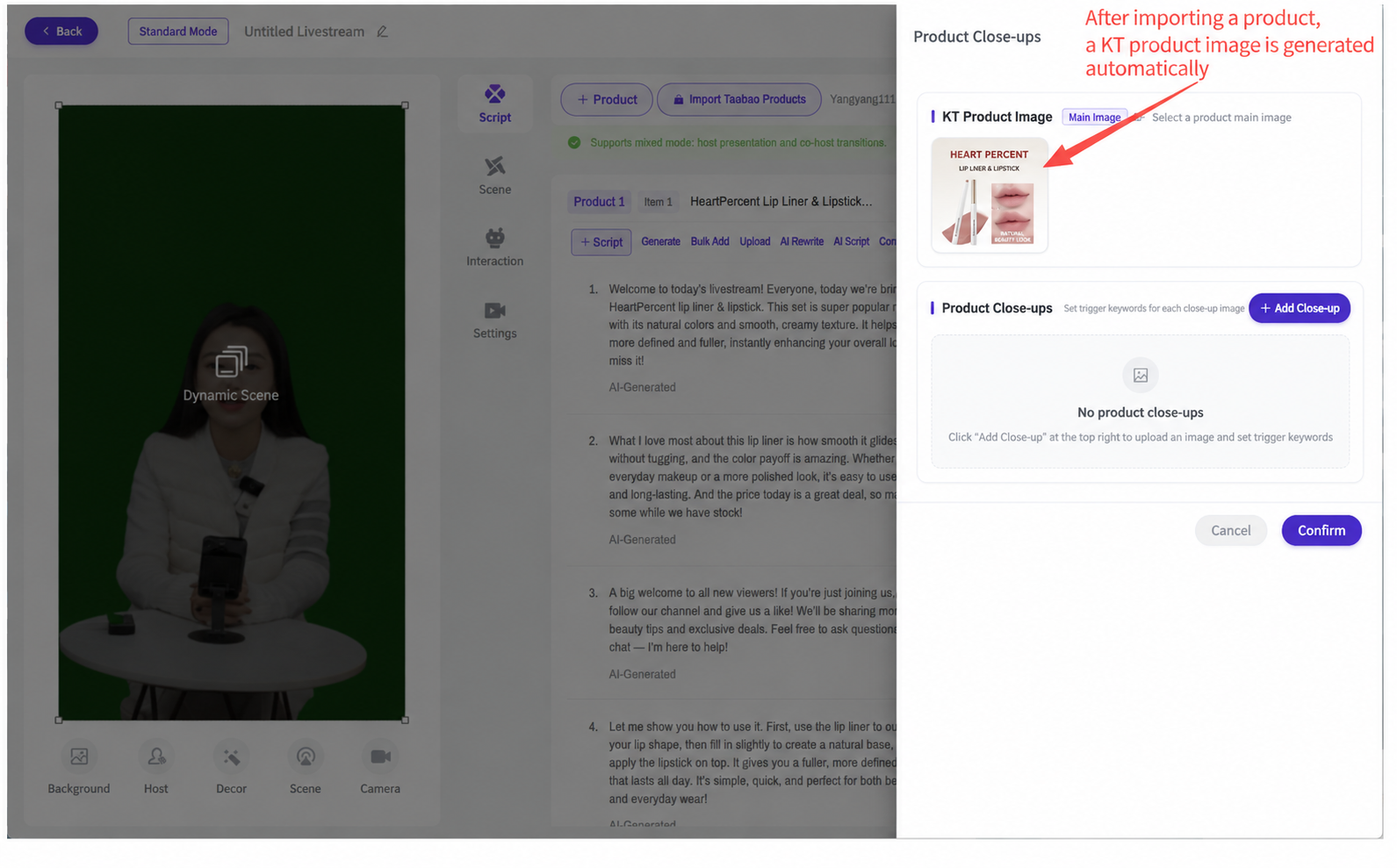
2. In advance, add products at https://liveplatform.taobao.com/restful/index/cargo/commodity/favorite under Product Planning, scan the QR code to authorize your Taobao Live account, and select "One-Click Taobao Product Import"; the system will automatically sync the product list and fetch the product main-image assets in real time.