Attachment 1_How to Obtain Third-Party Platform Q&A Interaction Link
How to Obtain Third-Party Platform Q&A Interaction Link
How to Obtain Third-Party Platform Q&A Interaction Link
<callout emoji="🐵">
Get the corresponding platform's livestream room link, turn on Q&A Interaction, and it will reply according to the configured rules — give it a try~
</callout>
Douyin - Link
- Getting the Douyin Livestream Room Link
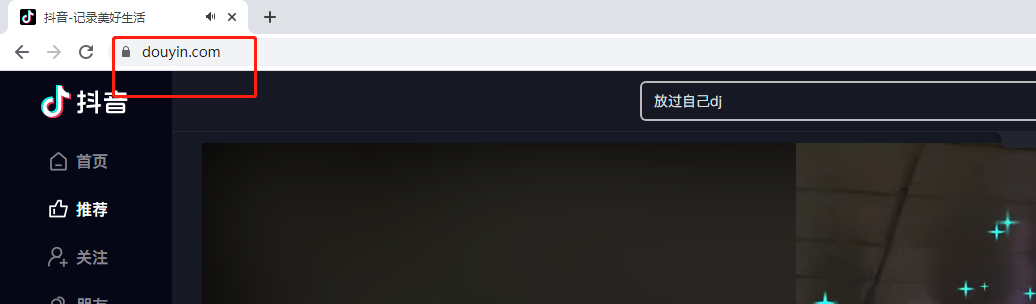
- Open Douyin in a desktop browser (https://www.douyin.com/)
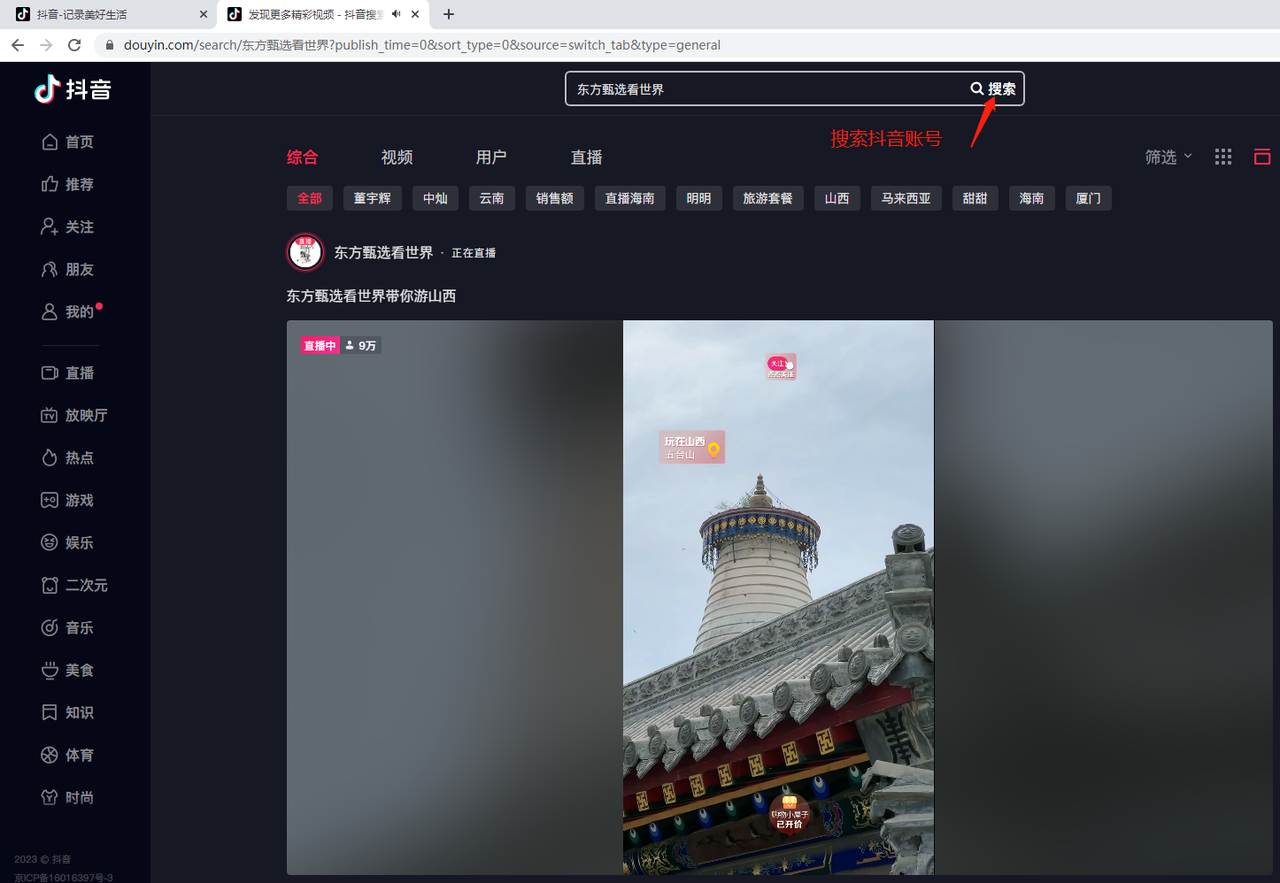
- Search for your own livestreaming account
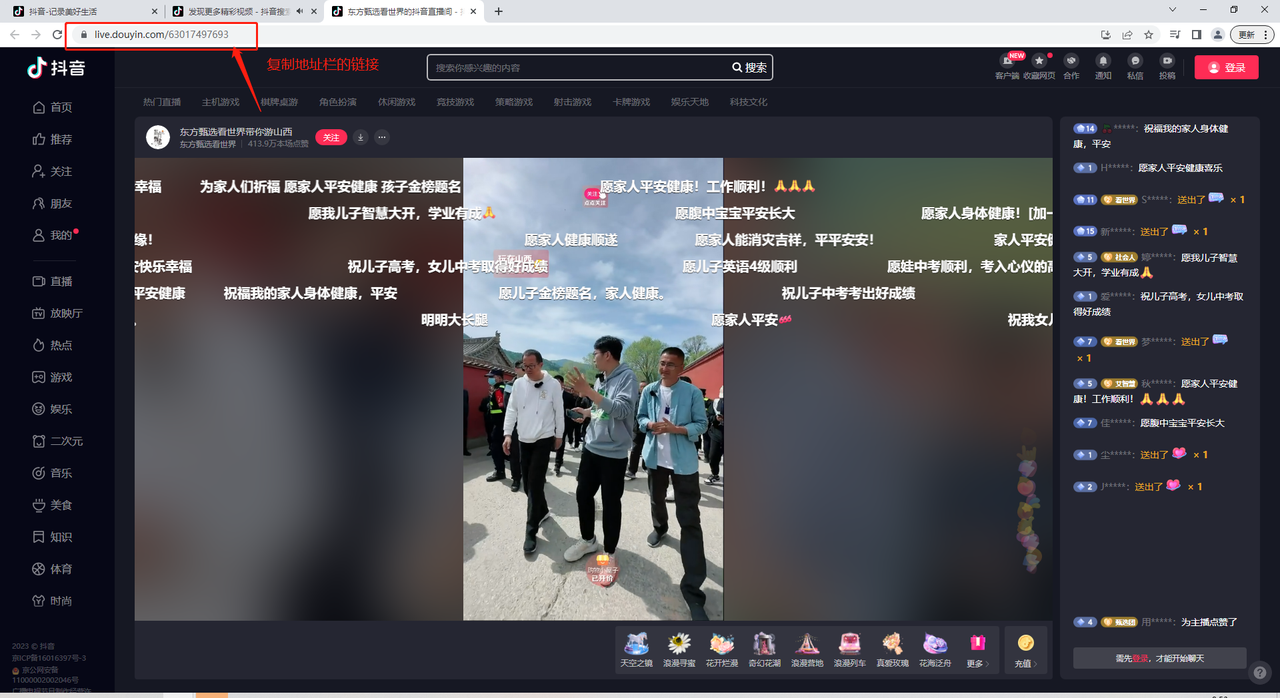
- Enter the livestream room and copy the link from the browser's address bar
Taobao/Tmall - Link
- You need to get the Taobao/Tmall store link
- Step 1: open Taobao in a browser (https://www.taobao.com/); you will need to log in
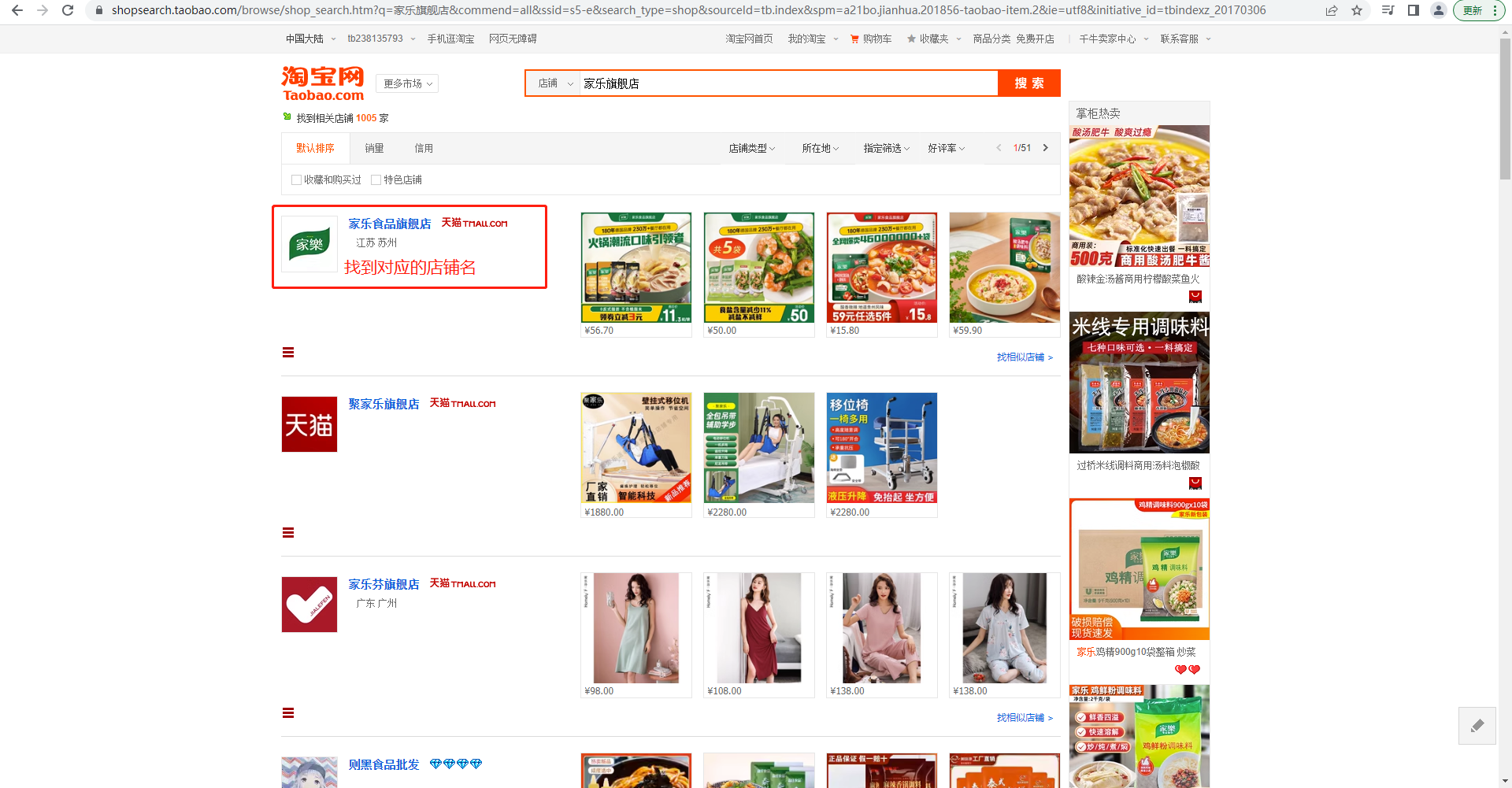
- Step 2: search for the corresponding store
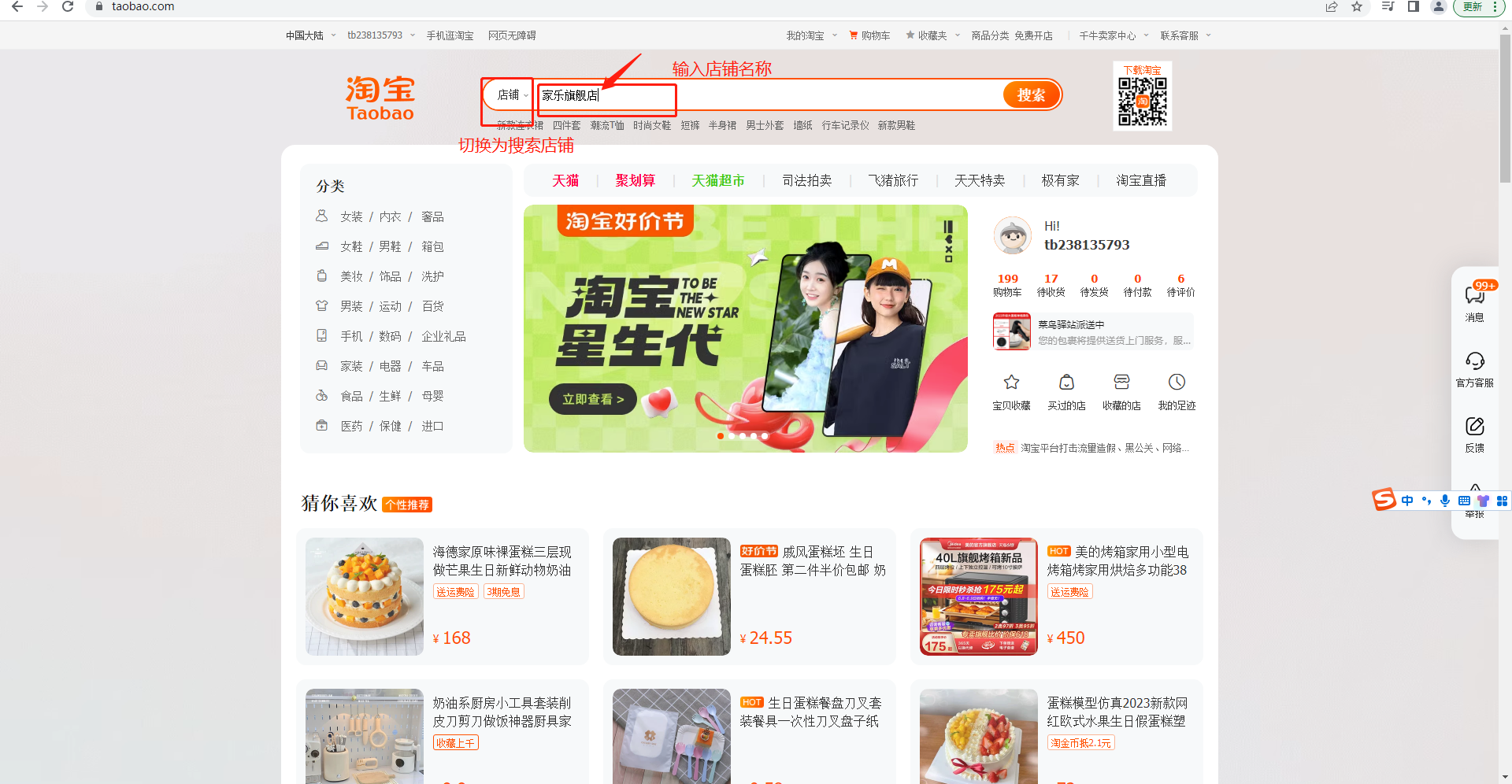
- Step 3: find the corresponding store and click into it
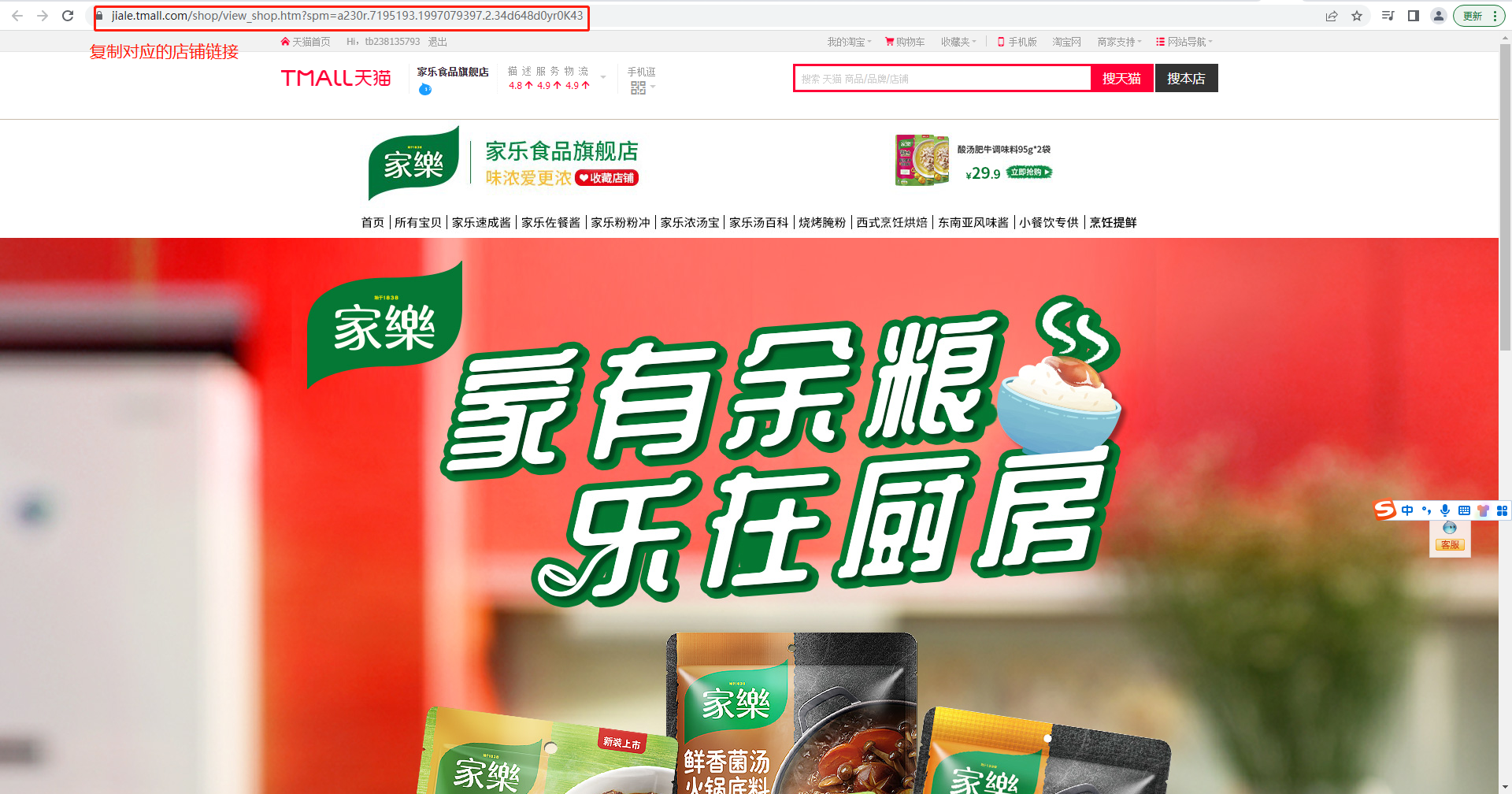
- Step 4: copy the corresponding store link
Kuaishou - Link
- You need to get the Kuaishou livestream room link
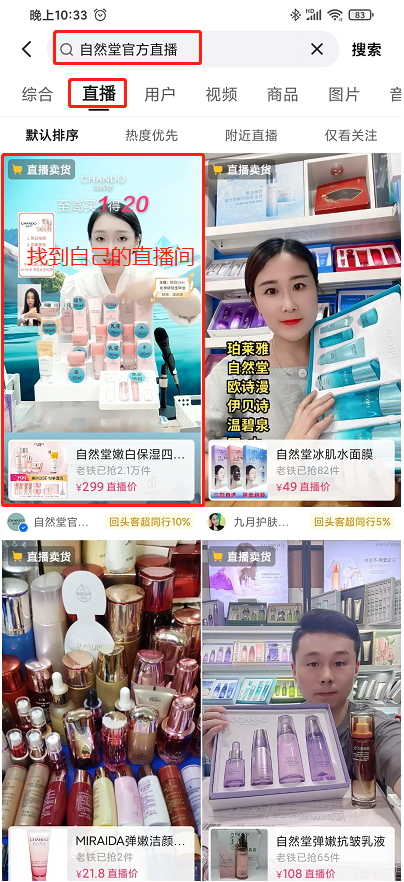
- Step 1: open Kuaishou on your phone and search to find the corresponding livestream room
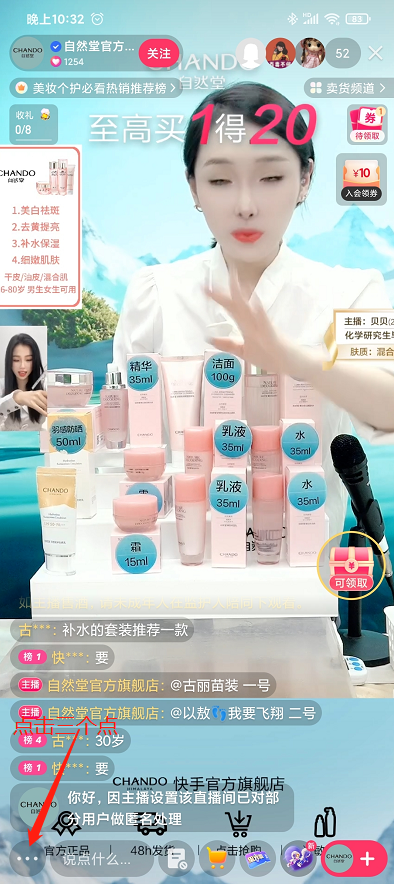
- Step 2: click the three dots, then click Share, and copy the share link
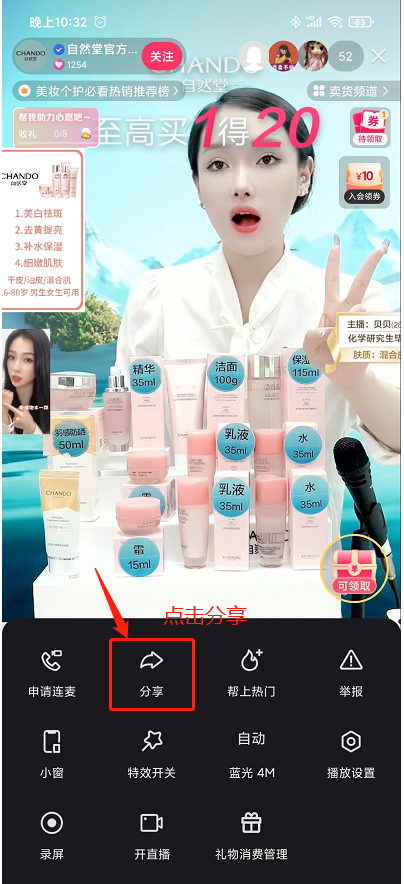
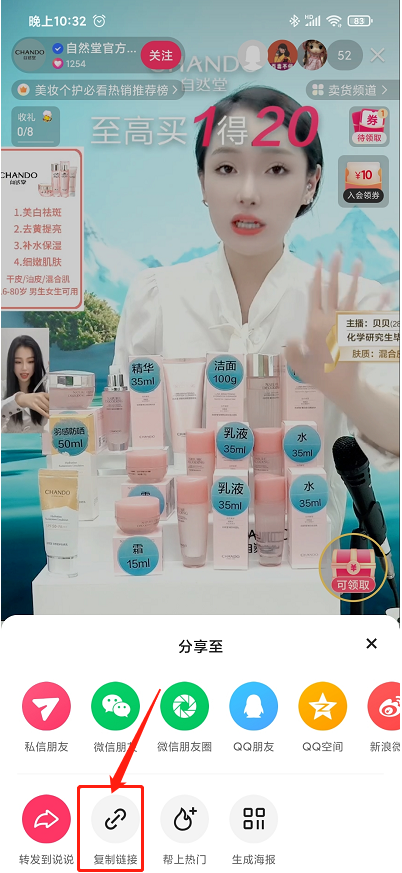
- Step 3: go to the livestream control console and paste the copied link (for example:
https://v.kuaishou.com/11S7woI Chando's official flagship store livestream is amazing, come check it out! Click the link to open [Kuaishou] and watch directly!), then click Enable
JD.com - Link
- You need to get the JD.com livestream room link
- Step 1: open the JD app on your phone and go to the Livestream Plaza
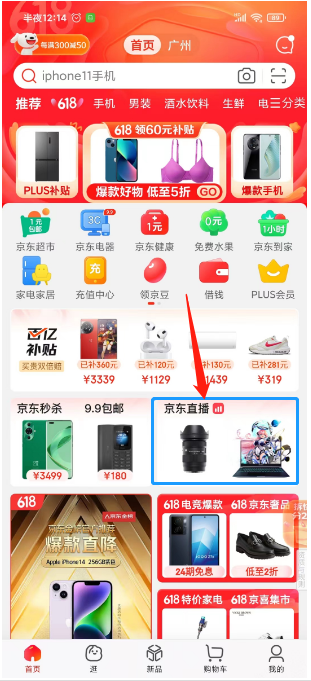
- Step 2: find your own livestream room and enter it
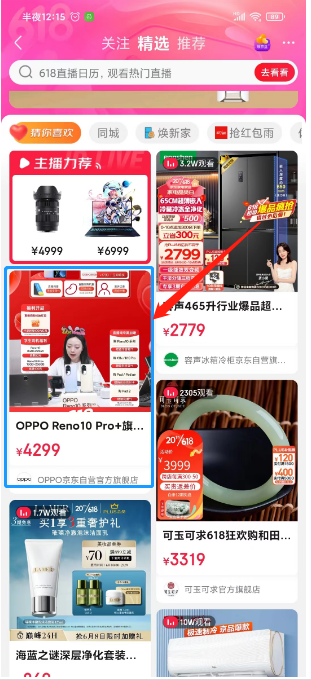
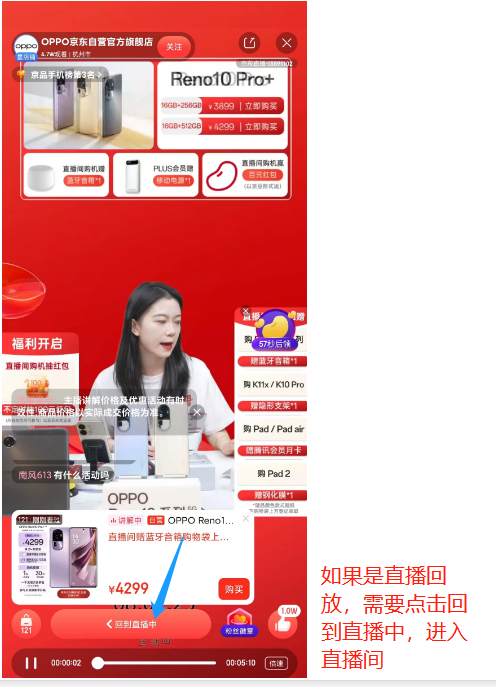
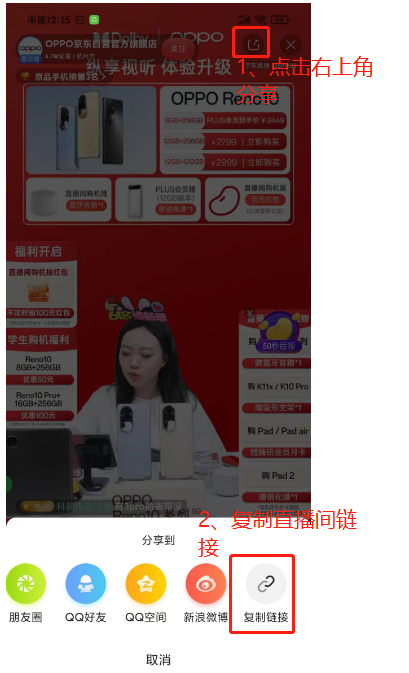
- Step 3: click Share and select Copy Livestream Room Link
WeChat Channels - QR Code
- Note: you must scan the QR code using the WeChat account that is going live
- Select WeChat Channels Livestream, click Enable, and scan the QR code directly
Alibaba.com (International) - Link
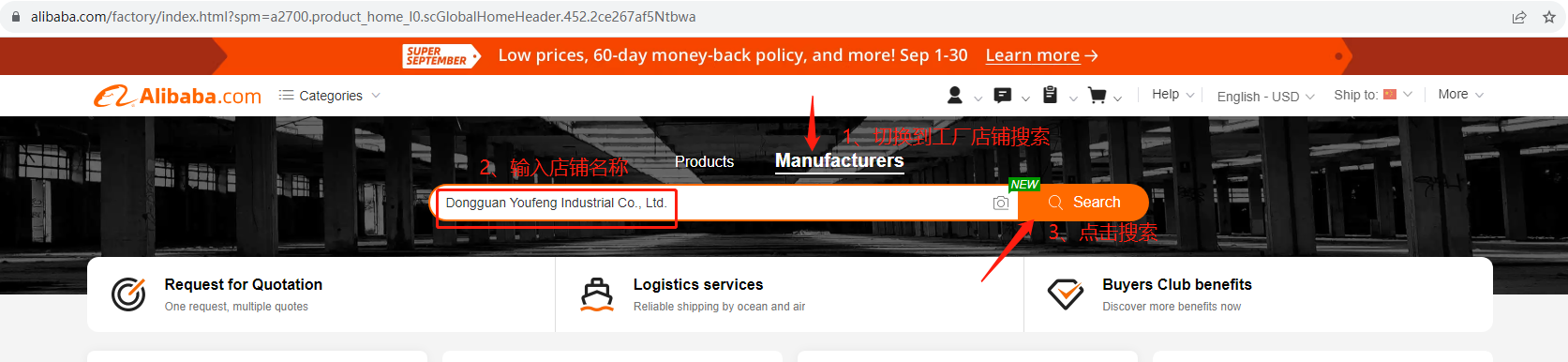
- Open Alibaba.com on your computer (https://www.alibaba.com/)
- Switch to Factory/Store search, enter the name of the corresponding livestream store, and click Search
- In the search results, select the corresponding store and go to the store's homepage
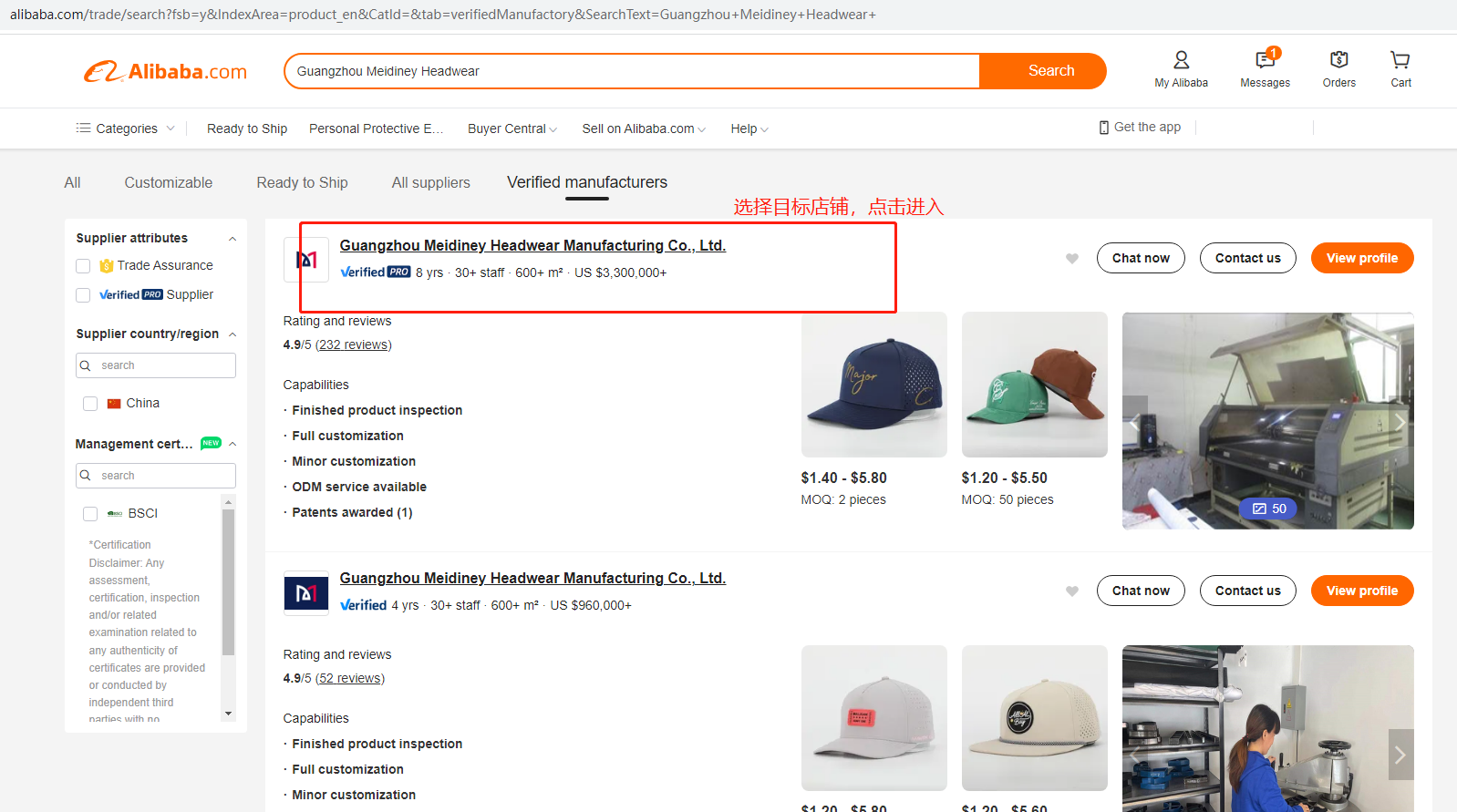
- Then click "Visit Store" on the right, and copy the store homepage link
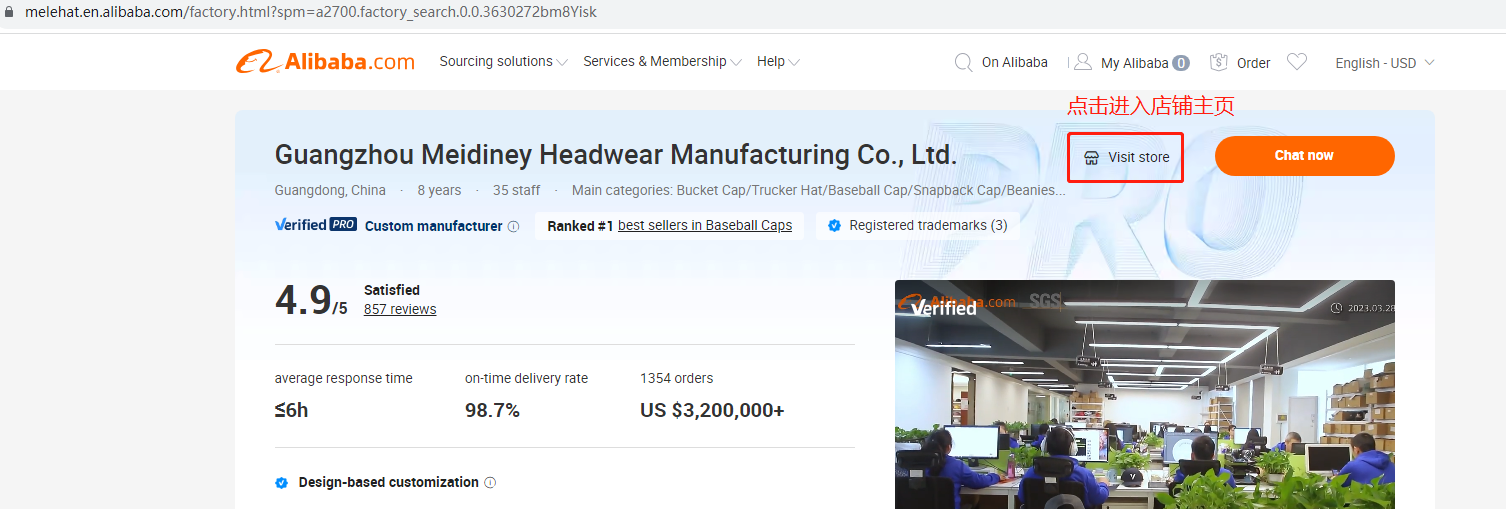
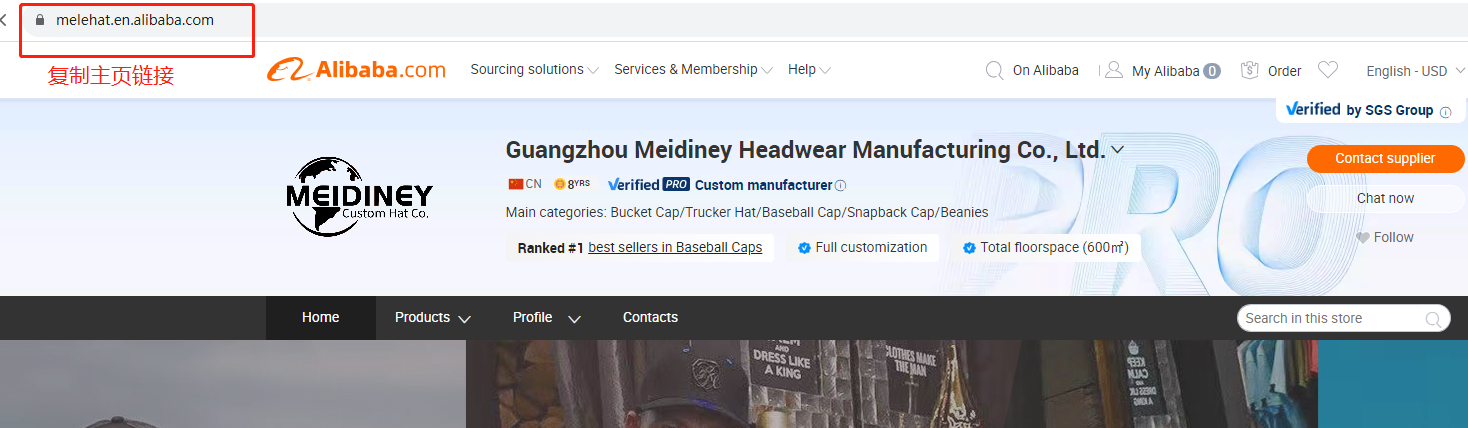
- In the livestream control console, select [Alibaba International], then paste in the store homepage link copied above
TikTok - Link
- Log in to TikTok, search to find the target livestream room, and copy the livestream room link
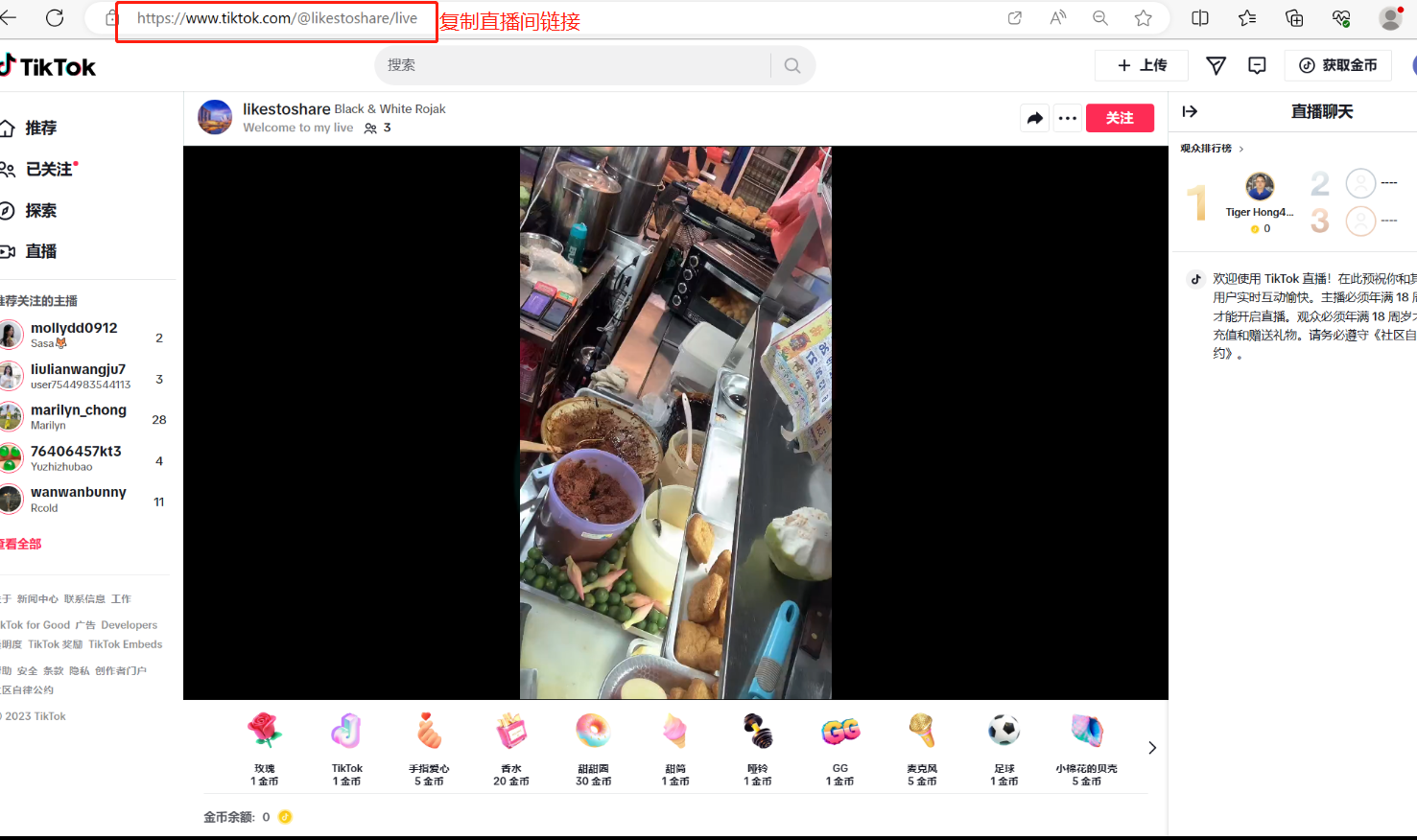
- In the livestream control console, select TikTok and paste in the livestream room link